Digital Stamp Card Explained: How It Works and Why It Pays
Digital stamp card explained: how it works from sign-up to reward, how it compares to paper, and the privacy and access trade-offs to weigh before you launch.
By Yuvraj Kewate · 2026-10-28
A digital stamp card is a loyalty card kept on a phone or behind a web link, where each purchase is recorded electronically and the reward becomes available when the count is complete. It replaces the paper punch card that sits in your wallet, gets stamped by hand, and disappears just when you're close to a free coffee. If you've lost that card, washed it, or left it at home, you already understand the problem it's meant to solve.
Table of Contents
- What a Digital Stamp Card Actually Is
- Paper and Digital Stamp Cards Side by Side
- How a Digital Stamp Card Works, Step by Step
- What Digital Stamp Cards Deliver for Businesses and Customers
- How BonusQR Can Help
- Common Myths About Digital Stamp Card Programs
- Privacy and Data Choices Before You Launch
- Serving Customers Who Cannot Use a Smartphone
- Decide Whether a Digital Stamp Card Fits Your Business
What a Digital Stamp Card Actually Is
Say a regular at a coffee shop has lost her paper card twice. On her third try, the barista doesn't hand her fresh cardboard. He shows her progress on a screen instead, because the stamps now live with the shop, not in her pocket.
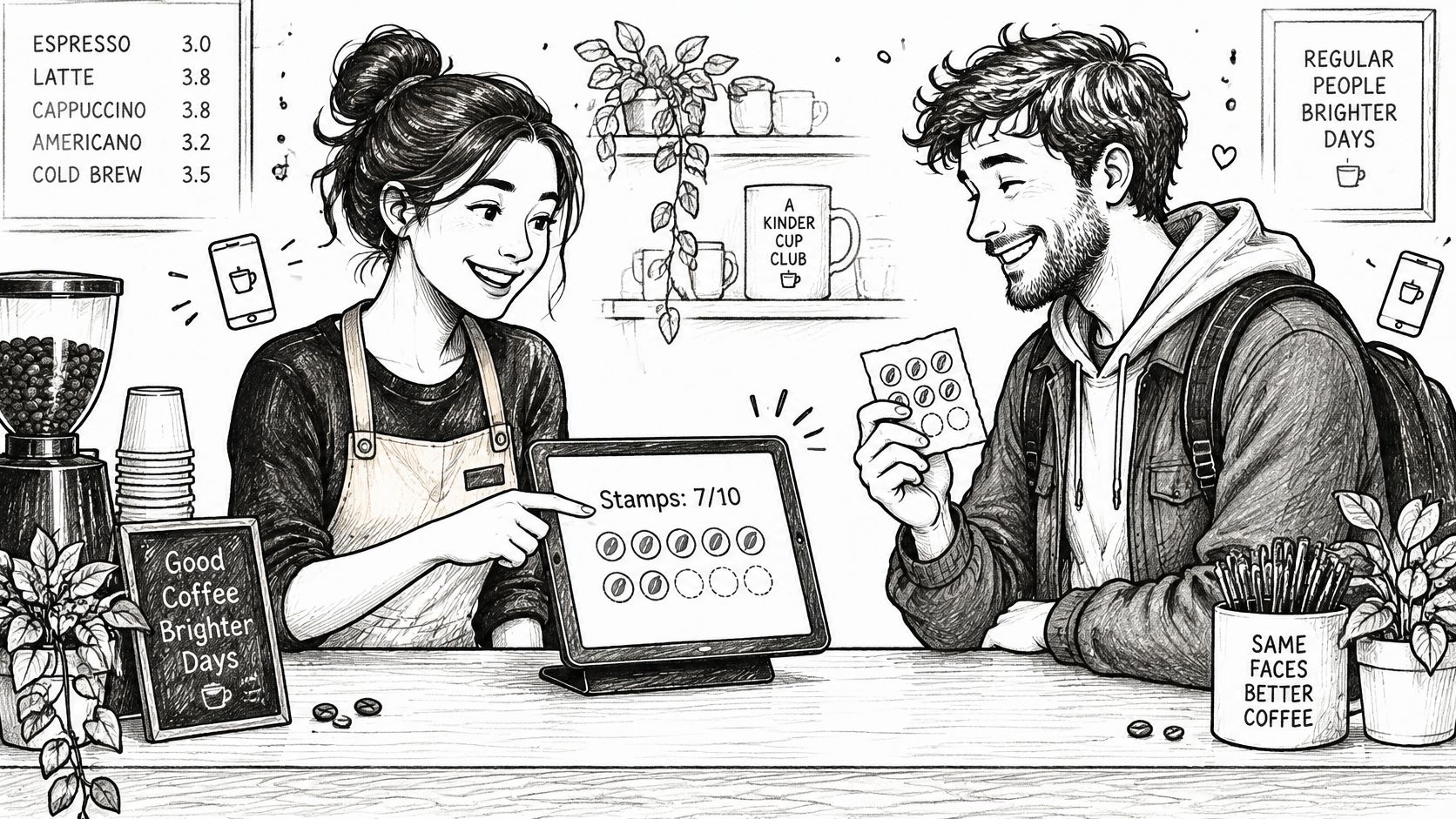
That's the core shift. A paper card keeps stamps in the customer's pocket, while a digital card keeps them in a database. The customer only carries a way to be recognised.
The three parts every system shares
- Identifier: a QR code, NFC tap, wallet pass, or link that ties a visit to one person.
- Counter: a record that adds one stamp per qualifying visit or purchase.
- Reward rule: a clear threshold, such as ten stamps for a free drink.
The shift didn't start with stamp cards. A 2016 report from the Federal Reserve Bank of Boston noted that 94% of consumers said they'd use mobile wallets more frequently if they could earn and redeem loyalty rewards through them, even though only 13% used mobile wallets for in-store payments. Loyalty gave people a reason to try a new habit.
So treat a digital stamp card as a loyalty mechanic first and technology second. If the reward isn't worth returning for, better software won't fix it.
Paper and Digital Stamp Cards Side by Side
| Criterion | Paper stamp card | Digital stamp card |
|---|---|---|
| Lost or damaged card | Stamps are lost with the card | Count kept on server or wallet pass; recoverable if account-linked, usually not if anonymous |
| Duplicate or forged stamps | Easy to copy or add by hand | Duplicate scans can be blocked within a set window |
| Reward reminders | None | Push or wallet notifications possible |
| Business data captured | None | Timestamp, visit count, new or repeat visit, depending on privacy design |
| Customer needs | Only the card | Smartphone, working scan, battery and enough signal |
| Works without power or signal | Yes | No, unless a staff fallback exists |
| Cost to start | Printing plus a few cents per card | Free wallet-pass tools to paid platforms |
| Setup time | Hours | Same day for simple tools; longer with POS or CRM integrations |
Lost cards decide many switches. Paper progress vanishes with the cardboard. A digital count survives a lost phone if it's linked to an account or wallet pass, though anonymous designs usually can't recover it.
Fraud works differently too. Anyone with a similar stamp can fake paper marks, and staff can secretly punch a friend's card. A digital system can block a second scan within minutes and tie each stamp to a staff action.
Business data is the third divider. Paper tells an owner nothing until a full card returns. Digital records timestamps and repeat visits, which is what makes reminders and reward tuning possible.
Paper keeps one honest advantage. It needs no battery, no signal, and no training, which is why many shops keep it as a backup.
How a Digital Stamp Card Works, Step by Step
The cycle is simple when each step happens at the counter, in seconds. It breaks when any step asks the customer to do homework later.
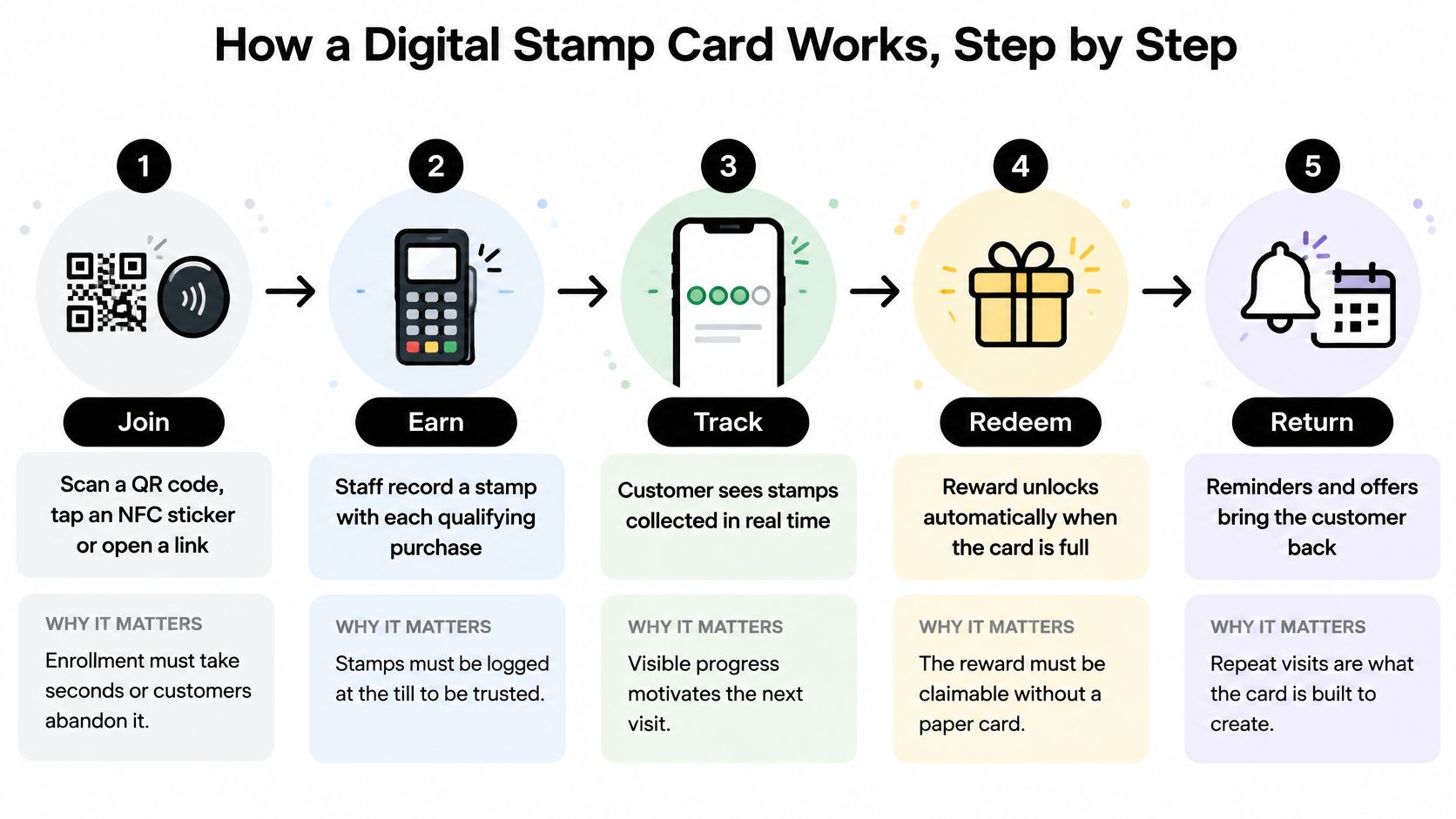
- Join. The customer scans a QR code, taps an NFC sticker, or opens a link. Enrollment should take under a minute, because a queue behind them won't wait for a long form.
- Save the pass. It lands in Apple Wallet or Google Wallet, or opens as a web page showing the stamp count. The customer should see empty slots and the reward immediately, so the goal is visible from day one.
- Identify at purchase. Staff scan the customer's pass, or the customer scans a counter code. This ties the visit to the right account. Staff scanning the pass is harder to abuse, since customers can't stamp themselves from home.
- Add one stamp. The system adds a stamp after a qualifying item or minimum spend, then blocks a second stamp for the same transaction. The pass updates right away, and that instant confirmation is what makes people trust the count.
- Claim the reward. When the threshold is reached, the pass shows the reward as available. A notification can prompt the next visit while the achievement still feels fresh.
- Redeem and reset. The customer shows a redemption code, staff confirm it, and the count resets or rolls over into a new card.
Practical rule: a scan should confirm within a few seconds. A slow or failed redemption at the till is the exact moment customers abandon a reward they've earned.
At each stage, the customer sees the same three things on the pass: stamps collected, stamps remaining, and what they'll get. If any of those is missing, staff end up explaining the program instead of serving the queue.
What Digital Stamp Cards Deliver for Businesses and Customers
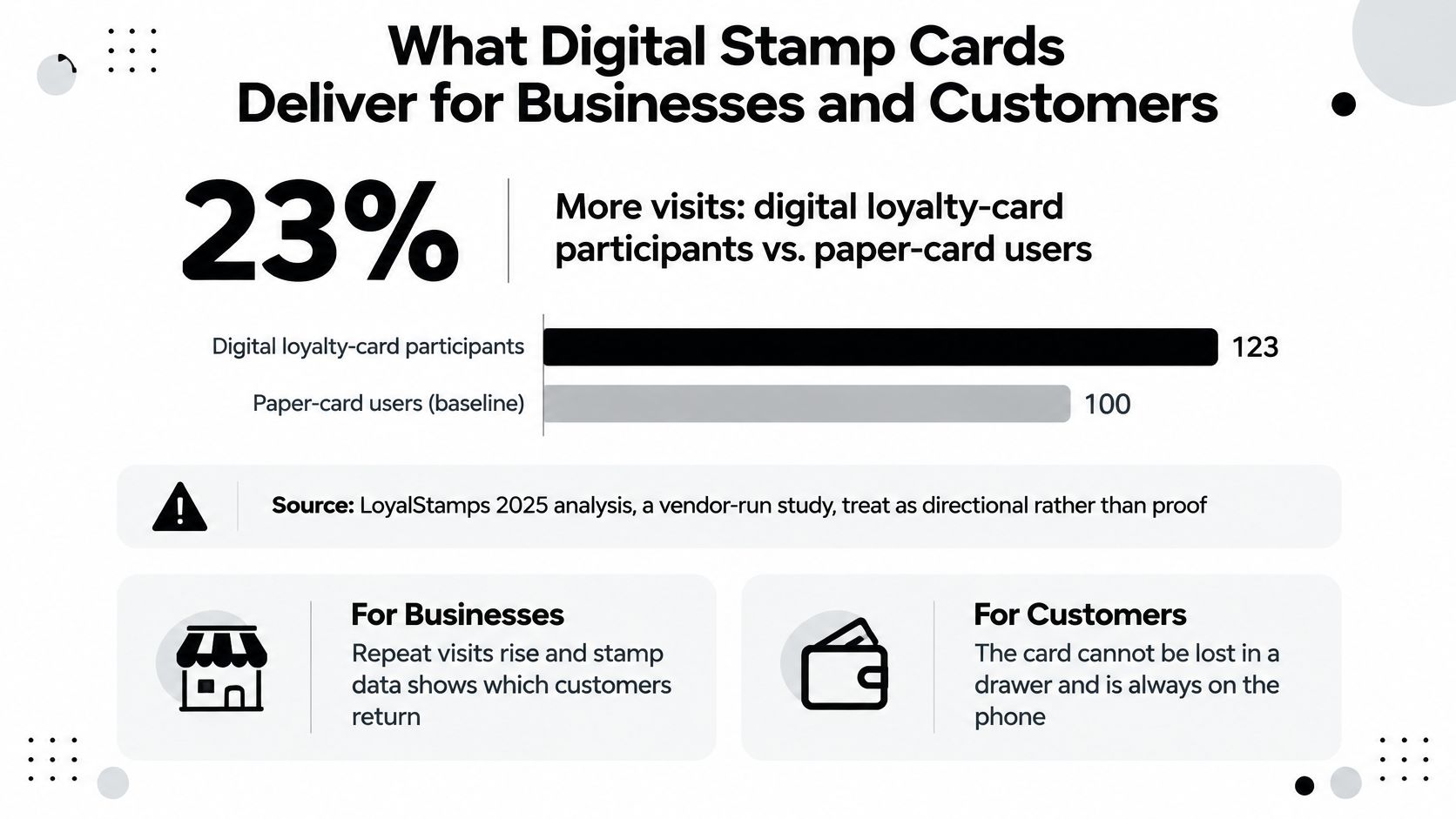
In 2025, digital loyalty-card participants reportedly visited businesses 23% more frequently than paper-card users, according to LoyalStamps. Treat the figure as a directional nudge and confirm it against your own till history before you budget around it.
Where the advantage comes from
When a stamp count is tied to an account or wallet pass, a lost card no longer means lost progress, which keeps customers returning. Anonymous designs are the exception: if there is no account behind the count, a lost phone can still erase it. Duplicate scans can be blocked, so free rewards go to genuine repeat buyers. Visit history also gives the owner first-party data on frequency and recency, which paper never provides.
That record makes personalization concrete rather than decorative. Segment customers by visit frequency, category, and recency, then vary the threshold. A frequent buyer might need six stamps, while an occasional visitor gets a bonus at four so the goal feels reachable. Approaches like these sit within broader customer retention practice, where relevance matters more than identical rewards for everyone.
The same record is a privacy choice, not a free upgrade. Favor tools that collect only what the program needs, explain retention in plain language, and offer a code, card number, or staff lookup for customers who do not use smartphones.
Customers gain something simpler. There is no card to carry, progress is visible whenever they open their phone, and a reward can be claimed without hunting through a drawer. The advantage holds only when the reward is worth returning for and redemption works first time; a generous digital card with a broken scanner still loses to paper and a working stamp.
How BonusQR Can Help
Judge BonusQR by the counter workflow first. Staff can scan and redeem inside the app, so a brick-and-mortar business does not need POS integration or extra hardware to move the paper punch card onto the customer's phone.
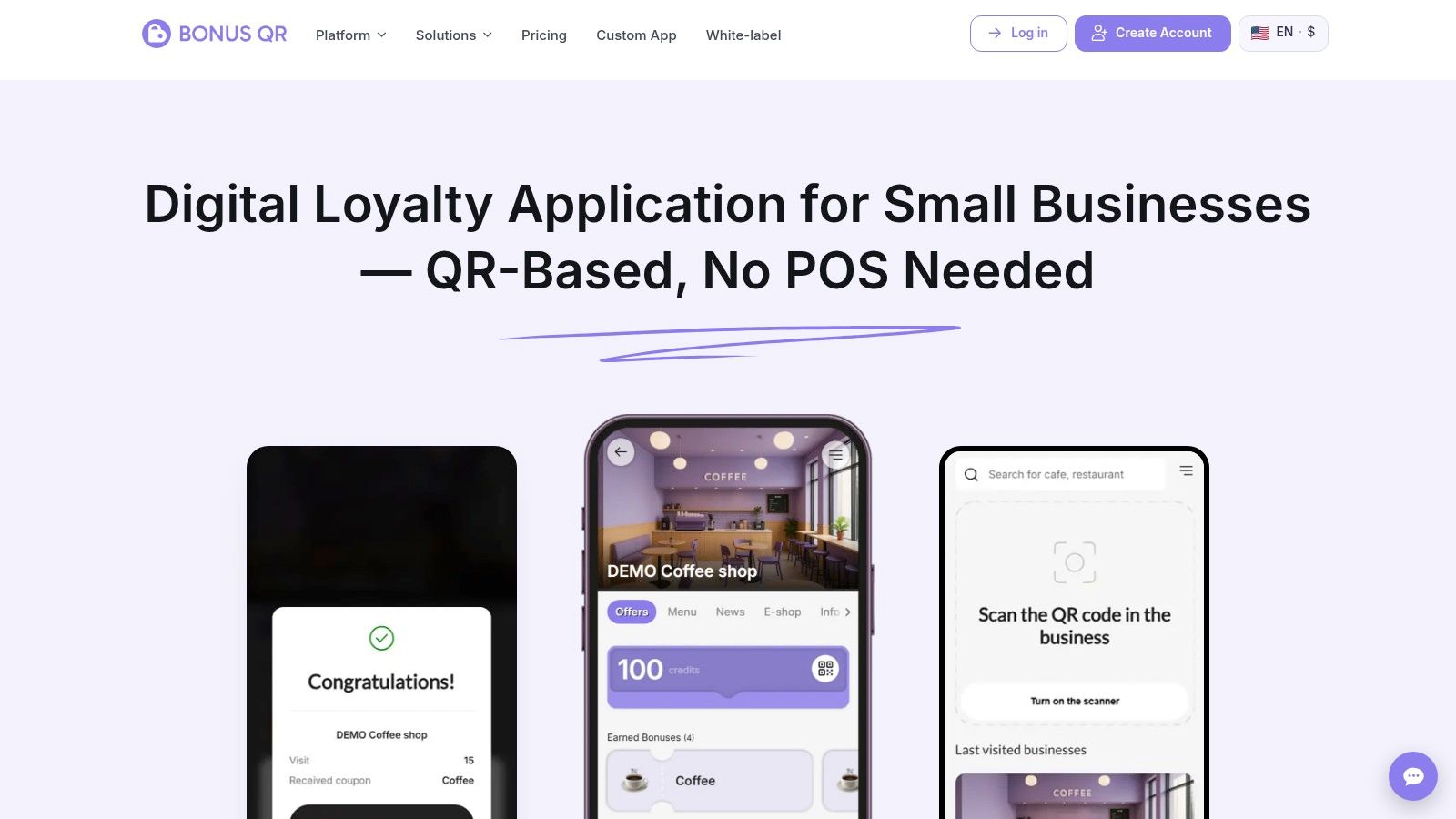
The reward menu is wider than stamps. Points, cashback, visit and spend thresholds, fixed discounts, welcome bonuses, and birthday or seasonal coupons can be combined around one customer profile. If stamps are the starting point, the digital stamp card option covers that mechanic directly, and other reward rules can be layered later without rebuilding the program.
For customers, sign-up runs through mobile or web and produces a personal QR code, with points, rewards, and visit history kept in one profile. Google Wallet and Apple Wallet passes keep offers close at hand, while the same profile can carry menus, price lists, news, reviews, and reservations. Those choices are also privacy choices: before launch, decide what visit data you actually need and how a customer without a smartphone will be served at the till.
Owners get built-in analytics for top customers, coupon performance, and visit trends, plus automated push and email campaigns for offers and feedback requests. Ready-to-print materials and guided setup matter because the program is won at the counter, where staff have seconds to explain it.
BonusQR fits best when you want to start free and keep options open. A business can later move to a white-label app under its own brand or commission a fully custom app with advanced integrations. If you only need ten boxes and a free coffee, simpler tools exist. If you expect stamps to grow into points, coupons, and campaigns, starting on a platform avoids moving customers later.
Common Myths About Digital Stamp Card Programs
Myth one: enrollment equals loyalty. It doesn't. Capgemini's research, reported in Retail Dive's summary of the study, examined loyalty programs operated by 160 global companies and analyzed 40,000 consumer conversations on social media, and found only 44% of loyalty-program memberships were active. Signing up is the easy part. Coming back is the program.
Myth two: going mobile means redemption is easy. The same study found 79% of loyalty programs used the mobile channel, but only 24% allowed rewards to be redeemed through mobile devices. A digital picture of a paper card isn't progress. The whole journey, earning and redeeming at the till, has to work on the phone.
Myth three: digital always pays. A reward that costs more in margin than the extra visits it creates is a loss, however slick the app looks. Compare the incremental gross margin from additional visits against reward and platform costs before you call the program a success.
A digital stamp card earns its place only when it changes behavior. Measure active use, redemption rate, and repeat visits, not sign-ups.
Enrollment numbers flatter every launch. They're also the first number to stop meaning anything.
Privacy and Data Choices Before You Launch
What most explainers skip is this. A QR-code loyalty scan can record a timestamp, location, device type, and whether the visit is new or repeat, as QR Stuff's guide to QR code loyalty programs describes. That's a far richer behavioral profile than a paper stamp ever created.
Answer four questions before you choose a tool. Is an email or phone number needed? Can the program run without account creation? Does app-free mean tracker-free? Which privacy notice and consent flow fits the markets you serve?
| Design | Customer provides | Data captured | Best fit |
|---|---|---|---|
| Anonymous QR or counter code | Nothing beyond the scan | Visit timestamp and stamp count only | Cafes and kiosks with no need for identity |
| Email-based pass | Email address | Email, visit history, reward status | Businesses already running email marketing |
| Phone-number pass | Mobile number | Phone number, visit history, SMS option | Service businesses with repeat bookings |
| Wallet pass | Wallet install, optional email | Pass ID, visit timestamps, device type | Shops whose customers want no separate app |
| App-based account | Installed app and login | Device ID, full history, location if permitted | Chains aiming for broad engagement |
| Staff-issued paper backup | Nothing digital | No digital data | Customers who cannot use phones |
Apply the same checklist to whichever design you pick: a stated retention period, a clear deletion route, limited staff access to customer records, and a breach-response plan. If you serve EU customers, GDPR-style transparency applies, and tools such as Consentmo for GDPR consent handling show the kind of consent record keeping involved.
Treat privacy as a product-selection criterion, not a compliance footnote. Convenience often depends on exchanging identifiable behavioral data, and customers deserve to know the trade before they scan.
Serving Customers Who Cannot Use a Smartphone
Digital isn't equally easy for everyone. In Deloitte's 2025 survey of 5,564 US loyalty-program members, more than 90% of Gen Z and millennial respondents considered at least one technology-enabled feature useful, versus 73% of baby boomers. Connectivity adds another gap, since weak signal, low battery, or limited data can block a scan entirely.
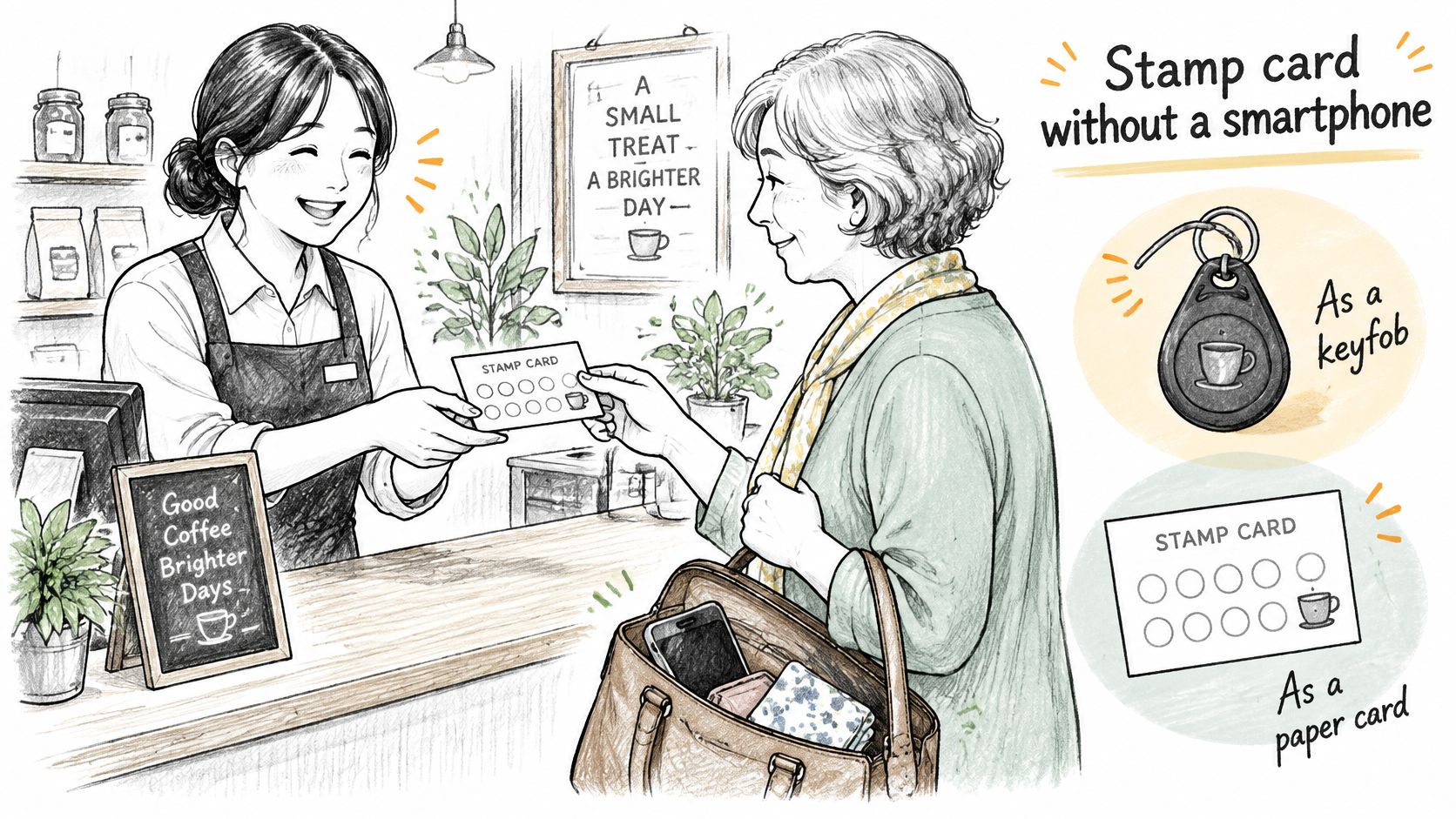
The model that works is digital-first, not digital-only.
Fallback routes to keep at the till
- Staff-issued manual stamp: a paper card or staff-applied credit for customers without a phone.
- Printed receipt code: the customer keeps the receipt and staff add the stamp next visit.
- SMS alternative: a code by text for customers with a basic phone.
- Offline reconciliation: staff log manual stamps and sync them at close of day.
Accessibility needs the same attention as the scanning tech. Use high-contrast screens, enrollment that works with screen readers, large tap targets, and multilingual instructions. Test the flow with one hand, in bright sunlight, and with trembling fingers, because that's where the true test lies.
Manual routes need fraud control that doesn't punish honest customers. Time-limited staff codes, logged per shift, let you spot abuse without refusing a stamp to someone whose phone just died.
Decide Whether a Digital Stamp Card Fits Your Business
Answer five questions before you buy anything. How many repeat customers do you have? Do paper cards already drive visits, or do they mostly sit in drawers? Can staff complete a scan at the till in under ten seconds during a rush? Is a manual fallback possible? Can you measure repeat-purchase rate before and after?
The verdict by situation
- Adopt: a high-frequency café, bakery, or salon with smartphone-using regulars. Progress builds fast enough to motivate.
- Test first: a low-frequency, high-ticket business. Stamps accumulate slowly, so points or spend thresholds may fit better.
- Run both: a business serving many older or offline customers. Keep a paper or staff-stamp route alongside any digital one.
Then pilot properly. Run one location for eight to twelve weeks, split customers into a control group and a group with personalized thresholds, and compare active use, redemption rate, and repeat visits. Browsing loyalty and rewards software categories can help you shortlist platforms against these criteria before you commit.
If the pilot doesn't move repeat visits, change the reward before you change the software.
Ready to choose your route? Start by answering the five questions above, then compare platforms on The SaaS Hub against your privacy, fallback, and redemption requirements, and pilot your shortlist favourite in one location for eight to twelve weeks before rolling it out everywhere.