10 Digital Wedding Guest Book Tools Compared for 2026
Compare 10 digital wedding guest book tools by features, pricing tiers, integrations, and best-use cases, with setup tips for choosing one for your event.
By Yuvraj Kewate · 2026-10-12
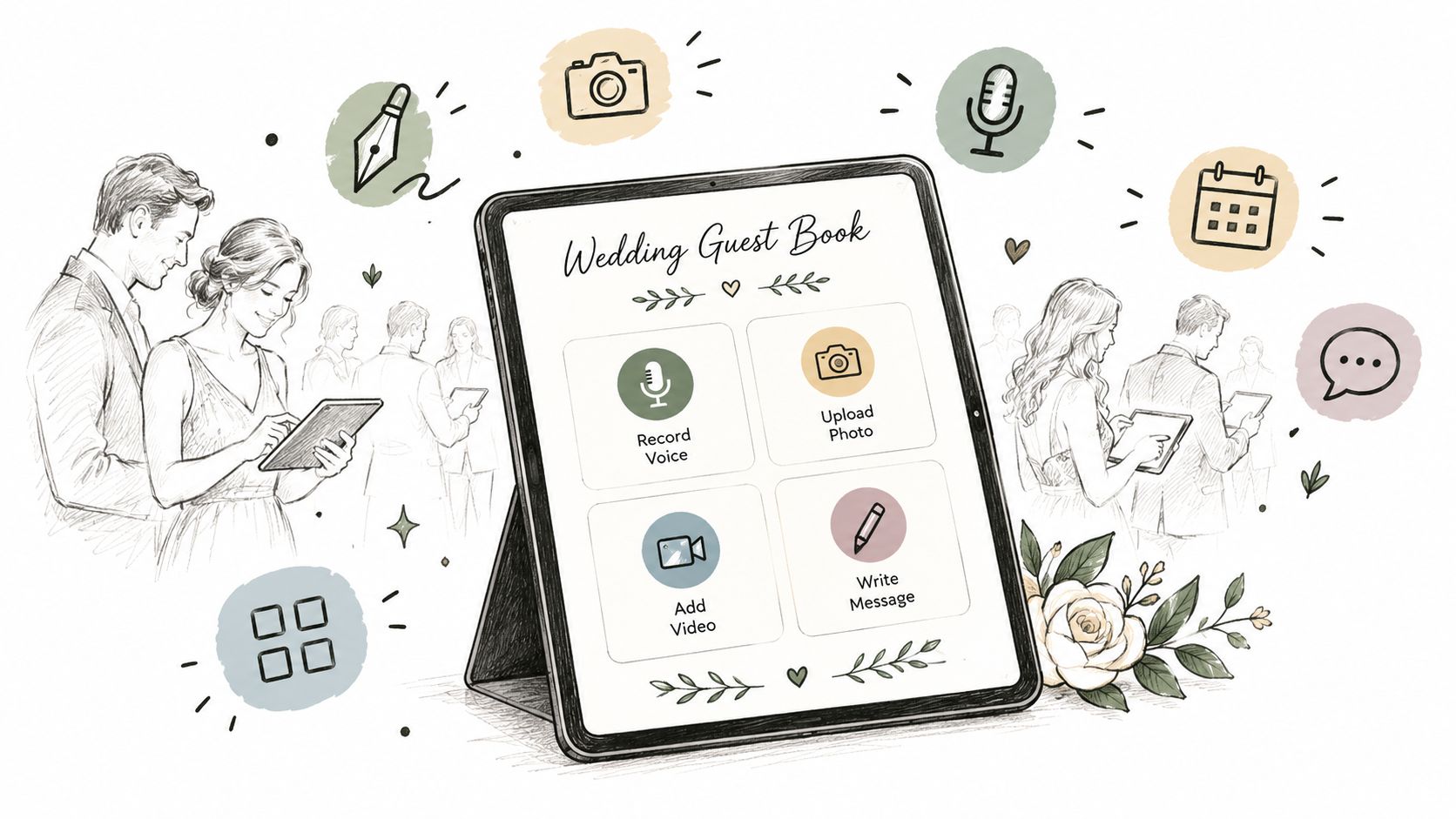
A line forms beside the card table. Someone searches for a working pen, another guest signs only the first page, and the paper book ends the night with a handful of names but little sense of the reception itself. The medium shapes participation. A physical book asks guests to stop, write, and remember it exists. A QR-based digital wedding guest book can collect contributions while guests are already taking photos, checking the schedule, or sharing the evening with people who couldn't attend.
The main formats differ. Voice messages preserve tone and laughter through a phone or call-in service. Photos and videos capture the reception from the guest perspective. Written entries resemble a traditional guest book but work through a browser or wedding website. Combined hubs bring several formats together. Some tools in this roundup focus mainly on RSVPs and guest data, not memories, but they can sit beside a guest-book product in a practical wedding stack.
The ten tools below are grouped by contribution format rather than forced into one overall ranking. Each entry covers the workflow, key features, pricing tier notes where supplied, integrations, best use cases, limitations, and pros and cons. A comparison table follows the list, then a short implementation guide turns the choice into an event-day plan.
Table of Contents
- Voice messages for couples who want audio keepsakes
- Photo and video sharing for reception-wide participation
- Multimedia guestbooks for mixed contributions
- All-in-one hubs for couples who want fewer tools
- RSVP companions for guest data rather than memories
- Top 11 Digital Wedding Guest Book Comparison
- Making the guest book work on the day
Voice messages for couples who want audio keepsakes
Audio works best when the emotional value sits in the speaker's voice. A grandmother's greeting, a friend's improvised story, or a sibling's advice can carry more personality than a written line. These tools suit couples who want a distinct physical object or a remote calling option, but they won't collect the candid photo stream that guests create on their phones.
After The Tone
After The Tone centers the experience on a vintage-style telephone. A guest lifts the handset, hears a preloaded greeting, and leaves a voice message. The setup doesn't require a guest app or venue Wi-Fi, which makes it practical for barns, gardens, and reception rooms with unreliable connectivity.
The phone itself becomes part of the decor. A broad range of styles and colors helps couples match the reception rather than hide the device beside a registration desk. The simple interaction also works for guests who won't scan a QR code or open a new website.
Placement rule: Keep the phone away from the loudest speakers. The recording is only as useful as the sound captured at the handset.
The trade-off is clear. This is an audio-only guest book, so guests can't add photos, video, or written messages through the same experience. It also depends on shipping and hardware placement, even though guests don't need an internet connection.
Best fit: Couples who want a recognizable retro phone and a low-friction voice experience.
Pros: Simple on-site flow, no app or Wi-Fi requirement, and a wide phone-style selection.
Cons: No visual contributions, and background noise can affect recording quality.
FêteFone
FêteFone takes the hardware route further. Couples buy a vintage-style phone and keep it after the wedding. The device records locally, so it works without Wi-Fi or mobile service, then exports the messages through an included USB stick.
That offline design is its strongest practical advantage. A rural venue, a crowded reception network, or a room with poor cell coverage won't interrupt recording. The phone can also return for future celebrations, provided the owner handles storage, backup, and any requirements for reuse.
More than 20 phone styles are available, according to the supplied product details. That choice makes it easier to treat the guest book as a decor feature rather than a generic rental item.
The cost structure needs careful thought. A one-time purchase can make sense for a couple planning to reuse the device, but the upfront hardware cost is higher than a software-only guest book. It also collects audio only, so you'll need another tool for photos, videos, or written wishes.
Best fit: Couples who value offline reliability and want a physical keepsake they own.
Pros: Local recording, USB export, reusable hardware, and no dependence on venue connectivity.
Cons: Audio-only, more hardware to manage, and a higher initial commitment than a browser-based product.
LifeOnRecord
LifeOnRecord is the flexible choice for voice contributions. Guests can call in from elsewhere, while the couple can add an optional vintage or retro phone for in-person recording. That combination suits weddings with absent relatives, destination logistics, or guests who prefer a normal phone call.
The service adds human audio processing, transcripts, a playlist page, and downloadable files. Transcripts help when a message is hard to understand, while the playlist gives the couple a more comfortable way to revisit recordings than opening files one by one.
The service remains primarily voice-based. It won't replace a photo gallery or a written guest book, and the optional on-site phone rental increases the package cost. Couples should also decide whether remote callers need clear instructions before the event, especially if messages are collected before the reception.
Best fit: Weddings with remote participants and couples who want edited, organized audio.
Pros: Remote and in-person collection, transcripts, processing, playlist access, and downloads.
Cons: No photo or video workflow, and the on-site rental adds complexity and cost.
Photo and video sharing for reception-wide participation
Visual tools suit guests who already document the day on their phones. They remove the pressure to compose a formal message and make it easier to gather candid moments from different tables. They work particularly well when the couple wants a live display, a post-event gallery, or an alternative to disposable cameras.
Wedding Studio
A paper book records whoever remembers to sit down at the right table. Wedding Studio is built around a different behavior, guests scan a QR code and upload the photos and videos already on their phones. It creates a branded shared album with the couple's names, date, and cover image, then connects that album to table cards or DIY signage.
The guest flow is deliberately short. There are no apps, logins, or group chats, and guests can upload from any phone. The album remains live through the wedding and for 12 months afterward, so it can collect material from pre-wedding events, the reception, and the honeymoon. Uploads are unlimited, files retain full resolution, and the host can choose between a shared gallery and a couple-only view.
That privacy choice matters. A shared album creates energy during the reception, while a private gallery gives the couple more control over faces, children, and unfinished uploads. Couples can download files individually or export the collection as one ZIP file. A premium photobook option turns selected moments into a physical keepsake.
Pricing is one-time and organized by guest count, with optional multi-album, printed-card, and photobook add-ons. A satisfaction guarantee is supplied, but couples should still confirm current tiers directly before buying.
Best fit: Couples who want guest-perspective photos and videos without asking anyone to install an app.
Pros: Full-resolution uploads, unlimited collection, privacy controls, ZIP export, branded presentation, and a long post-event window.
Cons: It prioritizes visual media rather than voice or formal written wishes, and premium print options increase the final package cost.
Guestpix
Guestpix is a photo and video-first gallery with a QR code and shareable link. Guests don't need accounts, and the platform supports full-resolution downloads, a shareable gallery, a live slideshow, and Canva signage templates.
The live slideshow gives it a strong reception use case. A screen can show guest uploads as the event unfolds, which encourages participation and gives guests a reason to check the gallery during the evening. Remote contributors can use the shared link, so the collection isn't limited to people in the room.
Guestpix also supports guestbook-style messages, but text and voice aren't its center of gravity. Choose it when visual memories matter most. Don't choose it expecting the depth of an audio archive or a full wedding-planning suite.
The hosting window and plan limits need attention. Archive the original files after the event, rather than assuming the online gallery will remain your only backup. For custom QR signage, a tool such as The SaaS Hub's Super QR Code Generator can help create a clear scan path, but test the destination before printing.
Best fit: Receptions that want a live visual wall and easy photo or video uploads.
Pros: No guest accounts, full-resolution access, live slideshow, remote link sharing, and useful signage support.
Cons: Lighter text and voice features, plus hosting limits that require an archive plan.
WedUploader
WedUploader keeps the guest flow minimal. Each event gets a unique link or QR code, and guests upload photos and videos without creating accounts. Optional private guestbook and voicemail features add some breadth, while direct-to-cloud workflows, including Google Drive export, reduce the work of organizing files later.
That cloud connection is useful for couples already managing wedding media in a storage system. It gives the couple a clearer handoff than a gallery that requires repeated manual downloads. A fullscreen slideshow and QR signage templates support both the reception display and the printed instruction stage.
WedUploader is mainly a collection and sharing tool. It doesn't aim to replace a wedding website, detailed RSVP workflow, or broader planning system. Feature availability and pricing can vary by region, so review the current event terms before sending invitations.
Storage deserves an explicit decision. Before relying on any cloud workflow, check where files will live and how the couple will retain ownership. The practical question isn't only whether guests can upload, but whether the couple can still open, copy, and back up the collection after the event.
Best fit: Budget-conscious couples who want direct media collection with a simple cloud handoff.
Pros: Fast uploads, no accounts, Google Drive-style workflows, private options, and slideshow support.
Cons: Limited planning features and possible regional variation in pricing or availability.
Multimedia guestbooks for mixed contributions
A multimedia guestbook is the middle ground between a gallery and a traditional book. Guests can write something, add an image, or record a short video without switching platforms. That flexibility helps when the guest list includes both enthusiastic phone users and people who prefer a conventional message.
Guestbook.tv
Guestbook.tv keeps the guestbook concept visible while expanding the formats. Guests scan a QR code and submit photos, short videos, and notes through a browser. The result can become a shareable gallery, printable PDF, or optional flipbook.
This is a good choice when the couple wants an artifact that still feels like a guest book. A PDF gives the couple a straightforward printable record, while a flipbook offers a more polished digital presentation. Streaming and live display options also let the reception use the content instead of waiting until after the honeymoon.
The product is more focused than an all-in-one wedding hub. It won't replace RSVP management, seating tools, or a wedding website. Plan limits can also vary by guest caps and video minutes, so check those limits against the expected contribution style rather than selecting a tier only by its headline feature list.
Best fit: Couples who want text, photos, and videos in one guestbook with flexible keepsake exports.
Pros: Genuine multimedia guestbook flow, PDF and flipbook exports, QR access, and live display options.
Cons: Fewer planning tools, and free or lower tiers may restrict video or guest capacity.
Video-Guestbook.com
Video-Guestbook.com puts short video messages first, while still accepting photos and written notes through a QR flow. It also offers a live slideshow, a fast-turnaround edited wedding film, ZIP downloads, and printable message-book PDFs.
That combination suits couples who want more than a folder of raw clips. The edited film creates a finished viewing experience, while the ZIP preserves the underlying assets. An optional printed station can make the workflow more visible at the reception, and white-label or branding options may help planners running several events.
The video-first approach can be a strength or a limitation. Guests who dislike recording themselves may contribute less than they would to a photo gallery. Multi-event weekends also need a close look at per-code or per-event pricing, especially when each celebration needs its own capture flow.
Best fit: Couples who specifically want a highlight film built from guest messages.
Pros: Strong video capture, fast edited output, balanced text and photo support, and broad export options.
Cons: Less suitable for voice-only or quiet written contributions, with costs that can accumulate across multiple events.
For teams also comparing video workflows beyond weddings, The SaaS Hub's video and livestream category provides broader software context.
All-in-one hubs for couples who want fewer tools
An all-in-one hub makes sense when the guest book must share space with the wedding website, RSVP flow, seating information, or live slideshow. The benefit is fewer links to explain. The cost is that a specialist tool may offer deeper media handling or a more distinctive physical experience.
Wedibox
Wedibox combines written entries, photos, videos, and voice notes behind one QR code. Guests don't need an app, and prompts can help turn a blank message field into useful advice, memories, or congratulations. A live slideshow gives the reception a visible reason to participate.
The broader hub includes optional wedding website, RSVP, and seating-chart features. That makes it practical for couples who haven't already committed to separate planning software. One QR code can lead guests to contributions and event information, which reduces the chance that a guest scans the wrong sign.
The main dependency is connectivity. Unlike a local recording phone, Wedibox relies on guest mobile data or venue Wi-Fi. Test both before the event, particularly if the reception is in a rural or crowded location. It also won't provide the tactile experience of a vintage telephone for audio messages.
Best fit: Couples who want text, visual, and voice contributions alongside a wedding website and planning tools.
Pros: Broad format support, one QR entry point, no guest app, RSVP and seating options, and live slideshow.
Cons: Connectivity is required, and it doesn't offer a physical audio-phone experience.
WedSites
WedSites treats the guest book as a section of the official wedding website. Couples can collect messages and photos, customize prompts, control public display, and hide entries that don't belong on the site. RSVP integration, task lists, and site analytics keep the guestbook close to the rest of the planning workflow.
This approach suits couples who want one official destination. Guests can find event information, RSVP instructions, and guestbook access through the same site rather than learning a separate product. It also helps planners who want basic moderation without managing another dashboard.
The format is narrower than a specialist multimedia platform. The guestbook is mainly text and photo oriented, with no native audio phone and no advanced video workflow in the supplied feature set. Couples must also create and maintain the wedding website, so it isn't the right purchase if the only need is a quick reception upload page.
Best fit: Website-led weddings where RSVPs, event details, and guest messages should share one destination.
Pros: Centralized guest experience, prompt customization, public-display controls, spam protection, and moderation.
Cons: Limited audio and video depth, plus the ongoing requirement to maintain a wedding website.
RSVP companions for guest data rather than memories
An RSVP tool solves a different problem. It tells you who is coming, what they need, and how to contact them. It won't replace a memory-capture product, but it can prevent the guest book from becoming the place where attendance data, dietary details, and personal messages get mixed together.
RSVPeasy
RSVPeasy is designed for couples and planners who need organized RSVP data. Custom pages can be shared by link, SMS, email, or QR code. The form can capture dietary needs, plus-ones, song requests, and other custom fields, then export a clean guest list for spreadsheets or planning tools.
That focus makes it a useful companion to a digital wedding guest book. Use RSVPeasy to manage replies and guest details, then give the memory product a separate QR sign or website destination. Separating the jobs keeps a guest's RSVP response from disappearing inside a gallery and makes follow-up easier for the planner.
Pricing is structured around different levels of use. A free or limited tier supports small events or testing. An event-based Premium plan adds fuller access, while the Studio plan targets wedding planners and designers managing multiple events. Confirm the current limits before choosing a tier, because advanced features require paid access.
Best fit: Couples and planners who need wedding-specific RSVP tracking without a full event-management suite.
Pros: Wedding-focused workflow, multiple sharing methods, custom fields, organized tracking, exports, and flexible plans.
Cons: The free tier is limited, and the product isn't positioned as a complete system for seating, vendor coordination, or deep integrations.
RSVPeasy won't collect the emotional archive itself. Pair it with Wedding Studio, Guestpix, or Wedibox when you need both clean guest data and rich contributions.
Top 11 Digital Wedding Guest Book Comparison
| Product | Primary format (core features) | UX & Quality | ✨ Unique / 🏆 | 👥 Best for | 💰 Pricing / value |
|---|---|---|---|---|---|
| Wedding Studio | QR-powered shared album, photos & video, unlimited uploads, 12-month live album | ★★★★★ | ✨ QR table cards & branded albums, unlimited full‑res, photobook option 🏆 | Couples wanting effortless, photo/video-first collection | 💰 One-time tiers by guest count + add-ons |
| After The Tone | On-site vintage-style phone, voice messages delivered as audio files | ★★★★ | ✨ Retro phone charm; no apps or Wi‑Fi required | Guests who prefer voice keepsakes & tactile experience | 💰 Rental/purchase options |
| FêteFone | Buy-and-keep vintage phones, local recording, USB export | ★★★★ | ✨ Reusable hardware + USB export for backups | Couples wanting a one-time purchase & offline reliability | 💰 Higher upfront one-time cost |
| LifeOnRecord | Hybrid: remote voicemail + optional on-site phone rental, transcripts | ★★★★ | ✨ Remote participation + human audio processing & transcripts | Events with remote guests or mixed in-person/remote needs | 💰 Service-based pricing; add-ons increase cost |
| Guestpix | No-app QR gallery for photos & video; live slideshow | ★★★★ | ✨ Live reception slideshow & full-resolution downloads | Photo/video-first couples who want day-of engagement | 💰 Subscription/plan limits (hosting windows) |
| Guestbook.tv | Browser guestbook for photos, short videos & notes; PDF/flipbook exports | ★★★★ | ✨ Printable PDF & flipbook keepsakes; multimedia guestbook | Couples who want a traditional guestbook feel with multimedia | 💰 Tiered plans; free limits apply |
| Video-Guestbook.com | Video-first QR guestbook + edited highlight/wedding film | ★★★★½ | ✨ Fast turnaround edited wedding film + full export packages | Couples prioritizing video messages & edited highlight reel 🏆 | 💰 Per-event pricing; can add up for multi-day |
| WedUploader | No-app uploader to shared album; direct-to-cloud (Google Drive) | ★★★★ | ✨ Direct-to-cloud delivery + optional voicemail/guestbook | Budget-conscious couples who want easy cloud exports | 💰 Affordable; pay-per-event tiers |
| Wedibox | QR wedding hub: photo/video/audio + website, RSVPs, seating, slideshow | ★★★★ | ✨ All-in-one hub (website, RSVPs, seating) to reduce tool sprawl | Couples wanting a single tool for day-of + planning | 💰 Feature-based plans |
| WedSites | Full wedding website & planning suite with built-in guestbook | ★★★★ | ✨ Integrated RSVPs, analytics & moderation controls | Couples building a full wedding website and planning hub | 💰 Tiered site plans |
| RSVPeasy | RSVP-first tool: customizable RSVP pages, QR/SMS/email, exports | ★★★★ | ✨ Wedding-focused RSVP workflows & custom fields (exports) | Couples & planners who need structured RSVP data 🏆 | 💰 Free tier + event Premium + Studio plans |
Making the guest book work on the day
The best platform can still fail if guests can't find it, the upload path is slow, or nobody owns the files afterward. Treat the guest book as an event workflow, not only a purchase.
Start with the venue. Confirm whether the reception has reliable Wi-Fi and mobile coverage. If it doesn't, choose an offline option such as After The Tone or FêteFone for voice, or arrange a clear alternative for visual uploads. A browser-based tool can be simple for guests and still unusable if the venue blocks uploads or has weak service.
Put the action where guests naturally pause. A QR card at every table gives the prompt repeated visibility. A phone should sit somewhere guests can approach without blocking the bar, entrance, or dance floor. Use plain instructions such as “Scan to add a photo or message,” and show what happens next.
Run the workflow yourself before printing anything.
- Test mobile data: Scan the QR code from a phone that isn't connected to venue Wi-Fi.
- Test every format: Upload a photo, record a short video, and submit a written or voice message if the product supports them.
- Check moderation: Decide whether contributions appear immediately or wait for approval.
- Confirm ownership: Identify who can export the files and where the original downloads will be stored.
- Schedule the archive: Download all media after the event and keep a second backup copy.
Privacy needs the same attention as convenience. A guest book may contain faces, children's images, voices, relationship details, and location or time information. Check whether the gallery is public, invite-only, available through an unlisted link, or fully private. Review retention, deletion, export, and consent controls, and confirm whether guests can remove their own contributions.
Choose by event rather than by popularity. A venue with unreliable connectivity suits a buy-and-keep audio phone. A reception built around candid photos suits Wedding Studio, Guestpix, or WedUploader. A mixed guest list benefits from Guestbook.tv, Video-Guestbook.com, or Wedibox. A couple who wants one wedding website may prefer WedSites, while a planner managing RSVP data across events may use RSVPeasy alongside a separate memory tool.
Pricing, storage windows, shipping, and regional availability can change. Verify the current offer directly with each provider before committing. Then run one complete test upload at the venue, using mobile data, before you print a single QR card or place an audio phone on the welcome table.