Dynamics 365 HR: Features, Pricing, and Best Alternatives
Dynamics 365 HR explained: core features, Microsoft ecosystem fit, payroll integrations, licensing, implementation tips, and a buyer's evaluation checklist.
By Yuvraj Kewate · 2026-10-02
You can sit through three demos of Dynamics 365 HR and still not know what you're buying. One vendor calls it a full HR suite, another calls it a core-HR hub, and Microsoft's own roadmap keeps adding new pieces fast enough that last quarter's answer can already feel outdated. If you're an HR leader trying to compare systems for a growing company, that ambiguity is the problem, not the product page.
The question isn't whether Dynamics 365 HR can do HR work. It's which parts are native, which parts depend on partners, and which parts are still being promised rather than shipped. Microsoft's 2025 updates keep pushing hire-to-retire improvements, Copilot, and Entra ID and Viva Connections integration, but buyers still run into payroll, recruitment, reporting, and engagement gaps that aren't solved out of the box.
This article strips away the marketing gloss and separates native capability from partner-dependent functionality. It also shows where implementation gets hard, who should walk away, and what a realistic rollout actually demands. If you've been trying to decide whether Dynamics 365 HR is a clean fit or a procurement trap, the answer is here.
Table of Contents
- Why Dynamics 365 HR Confuses So Many Buyers
- What Dynamics 365 HR Actually Is
- How the Product Evolved Into What It Is Today
- Core Features You Get Out of the Box
- How HR Management 365 Can Help
- The Microsoft Ecosystem and Payroll Integrations
- Who Should Buy It and What It Costs to Really Run
- Implementation and Migration Best Practices
- Pros, Cons, Alternatives, and Your Evaluation Checklist
Why Dynamics 365 HR Confuses So Many Buyers
A mid-market HR director sits in a demo, hears “end-to-end platform,” and leaves with three follow-up questions instead of one answer. Does Dynamics 365 HR replace a full HCM suite, or does it sit underneath other tools as the system of record? Can it handle payroll, recruiting, and reporting on its own, or does the buyer need partners and add-ons before the platform is operational?
That confusion exists because Microsoft's story and the practical deployment story are not the same thing. Microsoft describes the product as supporting the full employee lifecycle, but current review coverage still points to payroll and recruitment being handled through third-party tools rather than natively, while advanced reporting, engagement surveys, push notifications, and some scheduling features remain limited or missing out of the box Microsoft product documentation Microsoft 2025 release notes. That gap matters because buyers don't buy “HR software” in the abstract, they buy a working operating model.
Why the product sounds broader than it often is
Microsoft's messaging is not wrong, but it is broad. The platform is built to support hire-to-retire workflows, and it does that well when the rest of the Microsoft stack is already in place. The trouble starts when a company expects a standalone suite and discovers that parts of the process are split across modules, partners, and integrations.
Practical rule: if a vendor demo keeps saying “it integrates,” ask whether that means native, partner-built, or custom-built. Those are three very different purchasing decisions.
That's why this guide doesn't repeat Microsoft's brochure language. It separates the core HR hub from the ecosystem around it, so you can tell what the product includes before you get locked into a design workshop.
What Dynamics 365 HR Actually Is
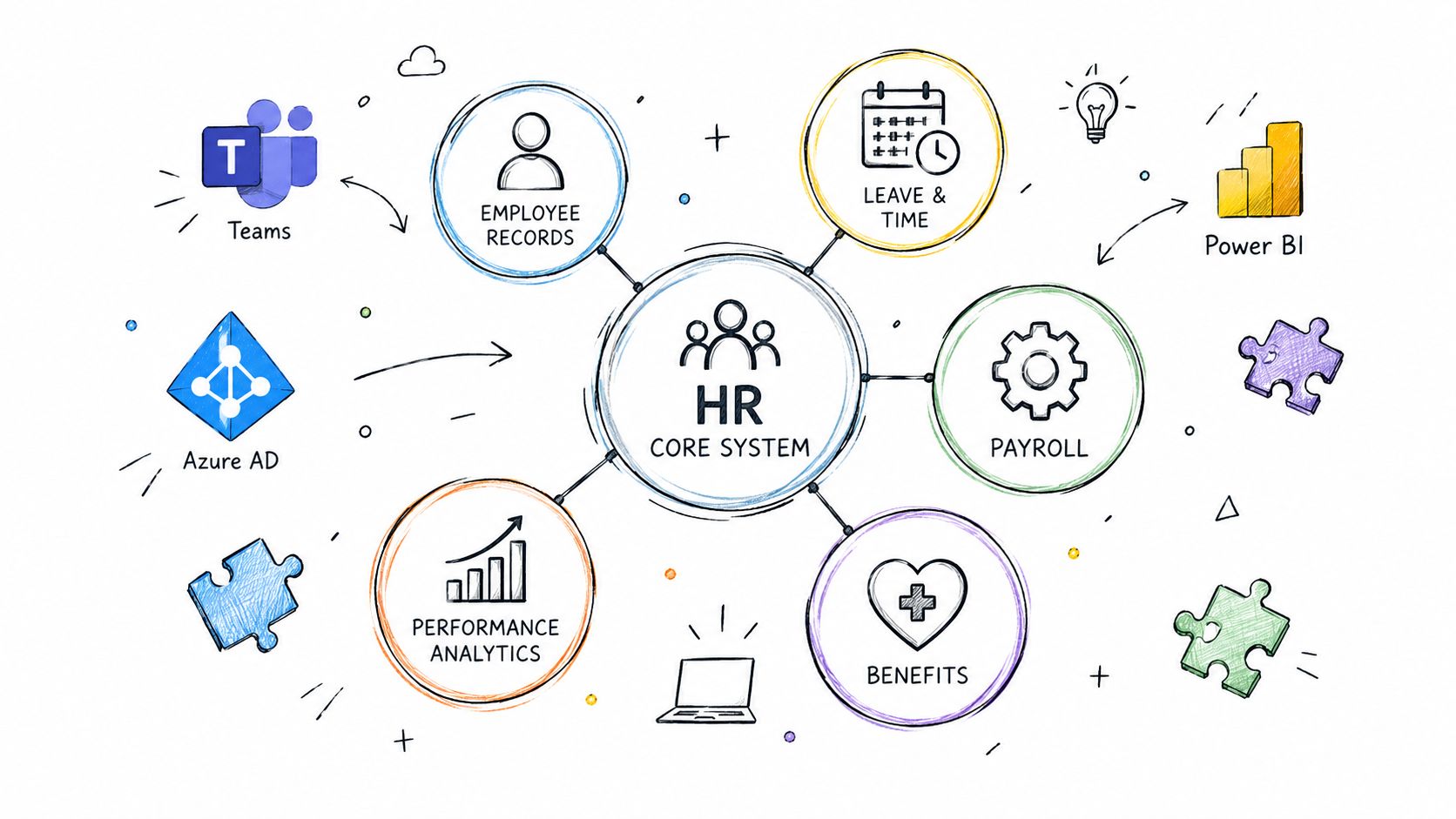
Dynamics 365 HR works as the central nervous system for workforce data, while execution of related HR work often sits in other tools. Microsoft describes it as an HR system that supports the employee lifecycle from hire to retire, including worker information, organizational structures, benefits administration, training, leave, compliance, performance reviews, and payroll integrations Microsoft product documentation. That scope gives it a real administrative role, but it still functions as a foundation rather than a complete HR stack.
The system of record role
The clearest way to read the product is as the system of record for employee and worker data. It stores the authoritative profile, then passes that information into adjacent tools that handle specialized processes. That is a different job from a point solution built to manage only recruiting, learning, or surveys.
Anyone who has seen HR teams maintain one spreadsheet for job data, another for leave, and a third for benefits already knows the problem this product targets. Dynamics 365 HR is meant to replace that spread of records with one source of truth for the worker file.
Where it sits on the HCM spectrum
That is also where buyer confusion starts. A broad HCM foundation can sound like a finished suite, but in practice it may still rely on surrounding products for specialized execution. Microsoft's own documentation points to support for organizational structures, benefits, absence policies, and training workflows, which gives the platform a solid base for workforce administration Microsoft product documentation.
A narrow point solution optimizes one workflow. Dynamics 365 HR is built to sit above those workflows as the hub they connect to. In demos, that difference can sound minor. In procurement, it decides whether you are buying a tool or an operating model.
How the Product Evolved Into What It Is Today
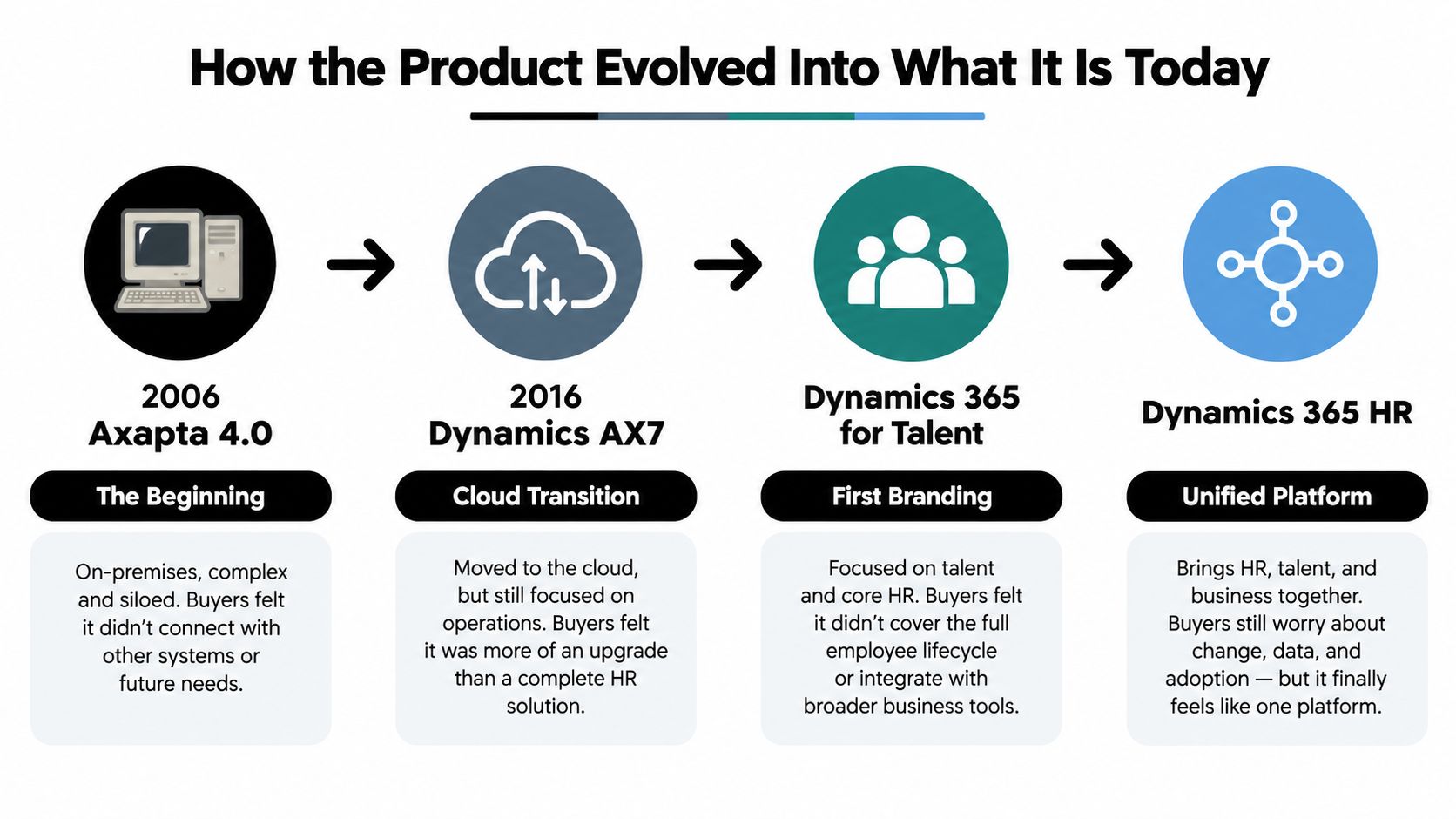
The product's identity feels fragmented because its history is fragmented. Microsoft's HR capabilities trace back to Axapta 4.0 in 2006, then moved through Dynamics AX7 in 2016, became Dynamics 365 for Talent in 2017, and was renamed Dynamics 365 Human Resources on February 1, 2020 FourVision product history overview. That lineage matters because older blog posts, community threads, and implementation notes often describe different product eras, not the current architecture.
Why older advice can mislead
A buyer who reads a 2019 forum answer about setup limitations may be looking at a product that no longer exists in the same form. A consultant who implemented the Talent-era version may also be speaking from a different codebase, different branding, and different integration assumptions. The result is a lot of contradictory advice that sounds current but isn't.
The biggest architectural shift came in 2024, when Microsoft retired the standalone Human Resources app and folded HR capabilities into the Finance and Operations infrastructure FourVision product history overview. That wasn't just a rename, it was a structural change that affects how buyers should think about deployment, integration, and roadmap continuity.
Why the 2024 merge matters
For buyers, the merge explains why current conversations feel more infrastructure-heavy than older ones. It also explains why integration discussions now lean toward the broader Finance and Operations estate instead of a separate HR app. If you're comparing vendors, this is the key historical fact to keep in mind. You are not evaluating an isolated HR microproduct, you're evaluating an HR capability set that now sits inside a larger Microsoft operational stack.
The practical takeaway is straightforward. If your evaluation treats Dynamics 365 HR like a frozen, standalone HR app, your requirements list will be wrong. If you treat it as a living part of Microsoft's finance, operations, identity, and low-code ecosystem, the buying conversation becomes much more honest.
Core Features You Get Out of the Box
Dynamics 365 HR earns its keep in the basics that HR teams use every day: worker data, policy administration, and the links between them. Microsoft's documentation describes support for worker information across the employee lifecycle, plus organizational structures, benefits, absence policies, training workflows, and payroll-related integrations. That is the native center of gravity.
Worker records and organizational structure
The first strength is the employee master record. HR teams need one place for worker profiles, reporting lines, position data, and organizational context. A new hire is not just a name and start date. They are tied to the right role, manager, and structure so downstream processes can use the same record.
That matters because every other HR process depends on that base layer. If the worker record is weak, leave approvals, benefits, training assignments, and payroll handoffs turn into manual cleanup.
Benefits, leave, performance, and training
Microsoft also positions the product around benefits administration, leave and absence policies, performance reviews, and training workflows Microsoft product documentation. The pattern is policy-driven administration. An absence rule can be set centrally and then applied to individuals and teams without each manager inventing a separate process. A training workflow can sit on the worker profile so HR can see who completed what, and who still needs action.
These are the routines that keep HR from turning into a mailbox with a payroll calendar attached.
Operational check: if your team spends more time chasing approvals than handling employee issues, the question is whether the feature reduces exceptions or just moves them around.
What it doesn't fully solve alone
Recent Microsoft material still leaves gaps buyers should plan for. The current release notes point to limited or missing out-of-the-box coverage around advanced reporting, engagement surveys, push notifications, and some scheduling features Microsoft 2025 release notes. The native set is solid, but it is not a complete HR operating suite for every organization.
That distinction matters in demos. A platform can look broad because it covers many HR activities, but if your team needs richer people analytics or engagement tooling, you still need to plan for add-ons or external products.
How HR Management 365 Can Help
HR Management 365 implementation is worth looking at if your biggest problem is not just HR administration, but making Microsoft products behave like one connected process. Its value is in the implementation layer, not in pretending the native platform covers every HR edge case on its own.
The relevant question is whether your organization wants a modular HR setup inside the Microsoft ecosystem, with employee records, leave, performance, training, and reporting tied together across Dynamics 365, Microsoft 365, and Power Platform. In that scenario, HR Management 365 can help centralize processes that otherwise get scattered across shared inboxes, spreadsheets, and disconnected apps.
Where this kind of partner fits
It makes sense when a buyer needs recruitment-to-employee conversion, structured workflows, live reporting, and compliance extensions, but doesn't want to start from a blank configuration screen. That usually means the internal team wants help with design, data mapping, and support after go-live, not just software access.
The value for buyers is not the feature list itself. It's the ability to decide which HR capabilities stay native, which ones are configured, and which ones need a partner-led layer to be usable in day-to-day operations.
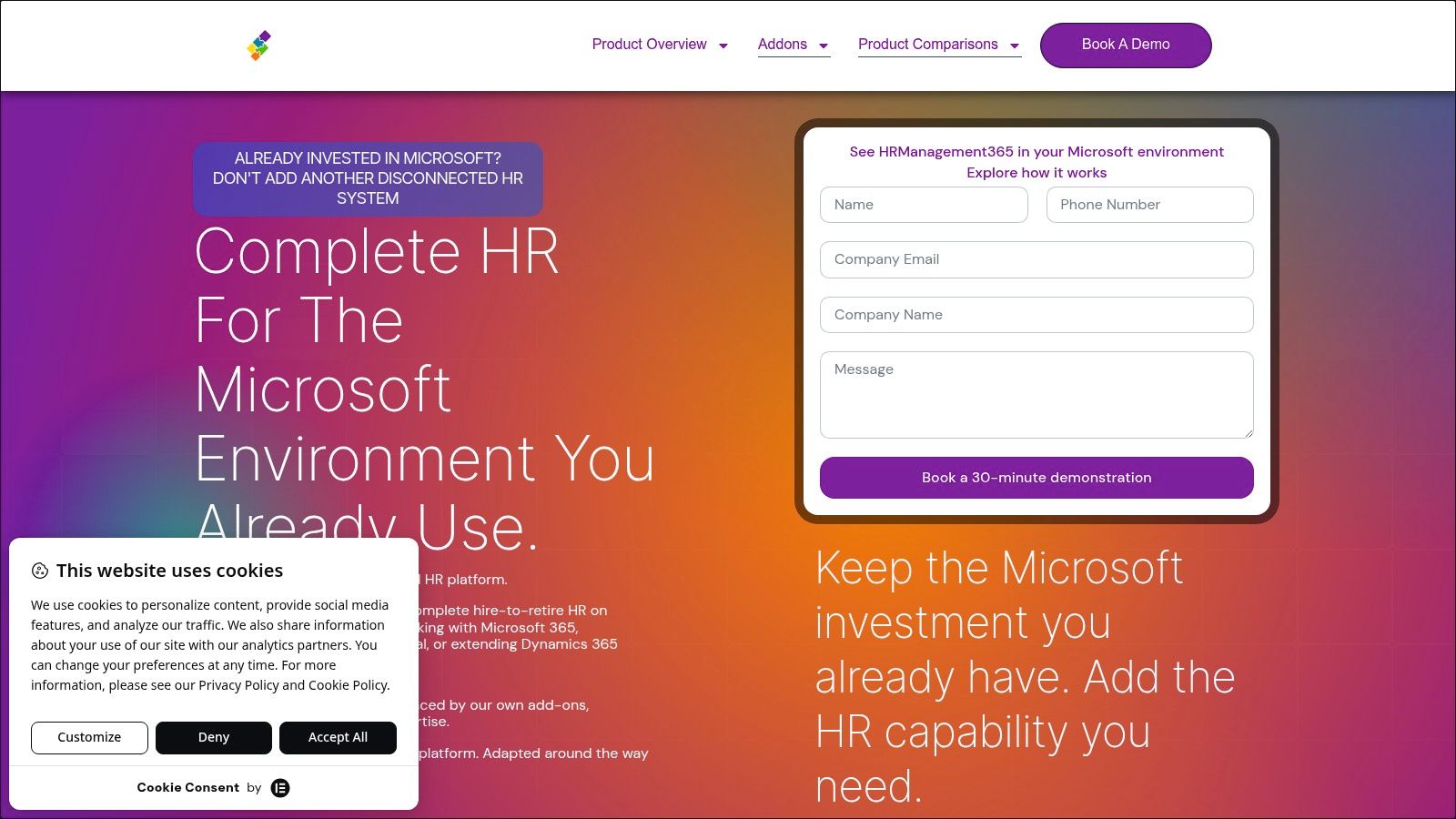
If your team already knows it needs partner help to turn Microsoft HR into an operational system, a specialist implementation page like this can be a useful starting point for scoping. It's most relevant when you've already decided to stay inside the Microsoft stack and now need someone to shape the rollout around your process, not the other way around.
The Microsoft Ecosystem and Payroll Integrations
A Dynamics 365 HR implementation starts to make sense only when you look at how Microsoft exposes the data. The product sits on Dataverse and uses virtual tables to surface HR records through the Dataverse Web API, with authentication, batch processing, concurrency control, and change tracking handled at the API layer Microsoft security and architecture documentation. Other systems can read and synchronize worker, compensation, and payroll-related records without copying the whole HR database into a second place.
Why that architecture matters
It cuts down rekeying and keeps HR as the system of record. Security is checked at the Dataverse endpoint and again at the Human Resources virtual entity service boundary, so Microsoft is using layered controls rather than a single gate Microsoft security and architecture documentation. For buyers, integration is part of the product design, not a bolt-on task.
Payroll is where the practical limits show up. Microsoft's payroll integration pattern starts with worker profile, salary, deduction, and contribution data in Human Resources, sends it to a partner payroll engine for calculation, then brings updates back for later pay runs Microsoft payroll integration overview. That model can support multi-country localization, but only if the HR entities, security roles, and application users are mapped correctly.
What usually breaks in real projects
The API is rarely the problem. The break usually happens in the handoff between HR data and payroll logic. If the payroll partner expects a different structure for deductions, benefits, or worker status, the integration can look fine in a sandbox and still fail in a country rollout.
Buyer rule: if payroll is in scope, treat data mapping as a business design exercise, not an IT task. HR, payroll, and implementation partners all need the same definitions before testing starts.
Microsoft's ecosystem is strongest when the company already runs Dynamics 365, Power Platform, and identity services around it. It is a weaker fit when the organization wants a clean HR suite but does not want to manage the boundary between HR, payroll, and external local compliance tools.
Who Should Buy It and What It Costs to Really Run
Dynamics 365 HR fits best when the organization already lives inside Microsoft. If your finance team uses Dynamics 365, your business users sit in Microsoft 365, and your process team is comfortable with Power Platform, the product's architecture can feel coherent rather than stitched together. That coherence is the main upside, not just the feature list.
Where it fits naturally
It also fits better when HR wants one system of record and can tolerate partner tools for payroll or specialist recruiting. In that setup, the product becomes the hub for worker data, approvals, and lifecycle management, while external systems handle the localized or advanced pieces that Microsoft doesn't ship natively.
Where it creates friction
The less comfortable fit is the mixed-stack company. If your HR, finance, payroll, and identity systems all come from different vendors, the platform can become a coordination project instead of a product decision. That's especially true for mid-market organizations with multi-country payroll needs, where localization and compliance drive the design more than the software brand does.
Pricing deserves a blunt answer. There isn't a meaningful way to judge this platform by license alone, because the real cost includes partner payroll integrations, configuration, customization, testing, training, and support. Those are the costs that determine whether the deployment works, and they're the ones buyers often undercount.
Cost rule: compare the price of running the process, not the price of the badge on the software box.
A good buying conversation should separate the Microsoft footprint from the implementation footprint. If the project depends on heavy partner support just to reach baseline payroll or reporting functionality, the license is only a fraction of the commitment. If your internal team can own most of the process and only needs targeted help, the economics look very different.
Implementation and Migration Best Practices
A rollout usually fails for reasons that have nothing to do with the software itself. The harder part is process design and data structure, especially when HR, payroll, finance, and identity all need to align across countries and business units. Start by defining what the business needs to be true, then map the system to that reality.
Start with the data model, not the demo
Legacy HR records need to be mapped into Dataverse entities before anyone talks about go-live. If the source system has messy job codes, duplicate workers, or inconsistent status values, those issues do not disappear in migration. They show up later as integration defects.
Security roles also need to be designed before cutover, not after. Microsoft applies checks at both the Dataverse endpoint and the virtual entity service boundary, so role design affects who sees what and which downstream integrations can function.
Test payroll like a country rollout, not a single project
Payroll testing should be organized by region and partner engine. If one country uses a different contribution structure or local compliance rule, that country needs its own scenario. Otherwise the first live pay run becomes the test environment, which is a poor place to discover a mapping issue.
If your team needs help aligning process, configuration, and change management, a specialist implementation resource such as expert help can reduce avoidable rework. That matters most when the internal HR team does not have the bandwidth to own every integration decision.
Keep release-wave volatility in mind
Microsoft's 2025 updates show the product is still changing in onboarding, recruiting, benefits, and performance management. That can help after go-live, but it makes scope control more important before launch. A team that wants stability should decide which capabilities are fixed for phase one and which ones can wait for later updates.
Pros, Cons, Alternatives, and Your Evaluation Checklist
A buyer who wants Microsoft-friendly HR should see Dynamics 365 HR as a platform choice, not a finished HR suite. Its main advantage is fit. It works naturally with the Microsoft stack and gives you a credible worker and organizational core. Microsoft continues to direct release investment toward areas such as recruitment, onboarding, reporting, and workforce management through Microsoft release wave plans, which matters if your roadmap depends on staying inside that ecosystem.
The tradeoff buyers need to accept
The downside is just as clear. Payroll and recruitment still depend heavily on partners in real deployments, some reporting and engagement features remain limited out of the box, and the product tends to pull buyers toward Microsoft components rather than a simple standalone setup. If you want one vendor to own hiring, payroll, surveys, and local compliance natively, this is usually not the cleanest fit.
Standalone HCM vendors often make the native-suite story easier to compare. Microsoft makes the ecosystem story stronger. Those are different strengths, and buyers should not confuse them. The right choice depends on whether your priority is a broad Microsoft stack or a more complete HR suite from a single HR vendor.
| Capability Area | Included Natively | Partner or Add-On Required |
|---|---|---|
| Worker profiles and organizational structure | Yes | No |
| Benefits administration | Yes | Sometimes, for specialized localization |
| Leave and absence policies | Yes | Sometimes, for advanced workflow design |
| Performance reviews | Yes | Sometimes, for deeper talent processes |
| Training workflows | Yes | Sometimes, for richer learning content |
| Payroll execution | No, usually external | Yes |
| Recruitment and applicant tracking | Partial, evolving | Often yes |
| Advanced reporting | Limited out of the box | Often yes |
| Engagement surveys | Limited or missing | Often yes |
| Push notifications | Limited or missing | Often yes |
If you are comparing vendors, compare options side by side before you let a demo hide the gaps.
Use this checklist in the next evaluation meeting.
- Separate native from partner capability. Ask the vendor to label every feature as native, configured, or third-party.
- Map payroll by geography. Identify where local payroll is external and who owns the integration.
- Test data architecture early. Confirm how worker, compensation, and deduction data move through Dataverse and payroll boundaries.
- Ask about reporting gaps. If executive dashboards matter, verify what is built in and what needs Power BI or another tool.
- Challenge roadmap language. Do not treat planned features as current functionality.
- Assess implementation capacity. If your team cannot own process design, budget for partner support.
For buyers comparing HR systems, the key question is whether Dynamics 365 HR covers the parts you need natively or only after integration, configuration, and partner work. Use the checklist above to document which capabilities your organization needs natively versus through partners before scheduling vendor demos.