Shopify App Security Update 2026: What Changed and What Merchants and App Developers Must Do Now
The October 2026 Shopify app security update explained: what happened with hijacked apps, what Shopify now requires, and checklists for merchants and app developers.
By Yuvraj Kewate · 2026-10-28
October 2026 was a hard month for Shopify app security.
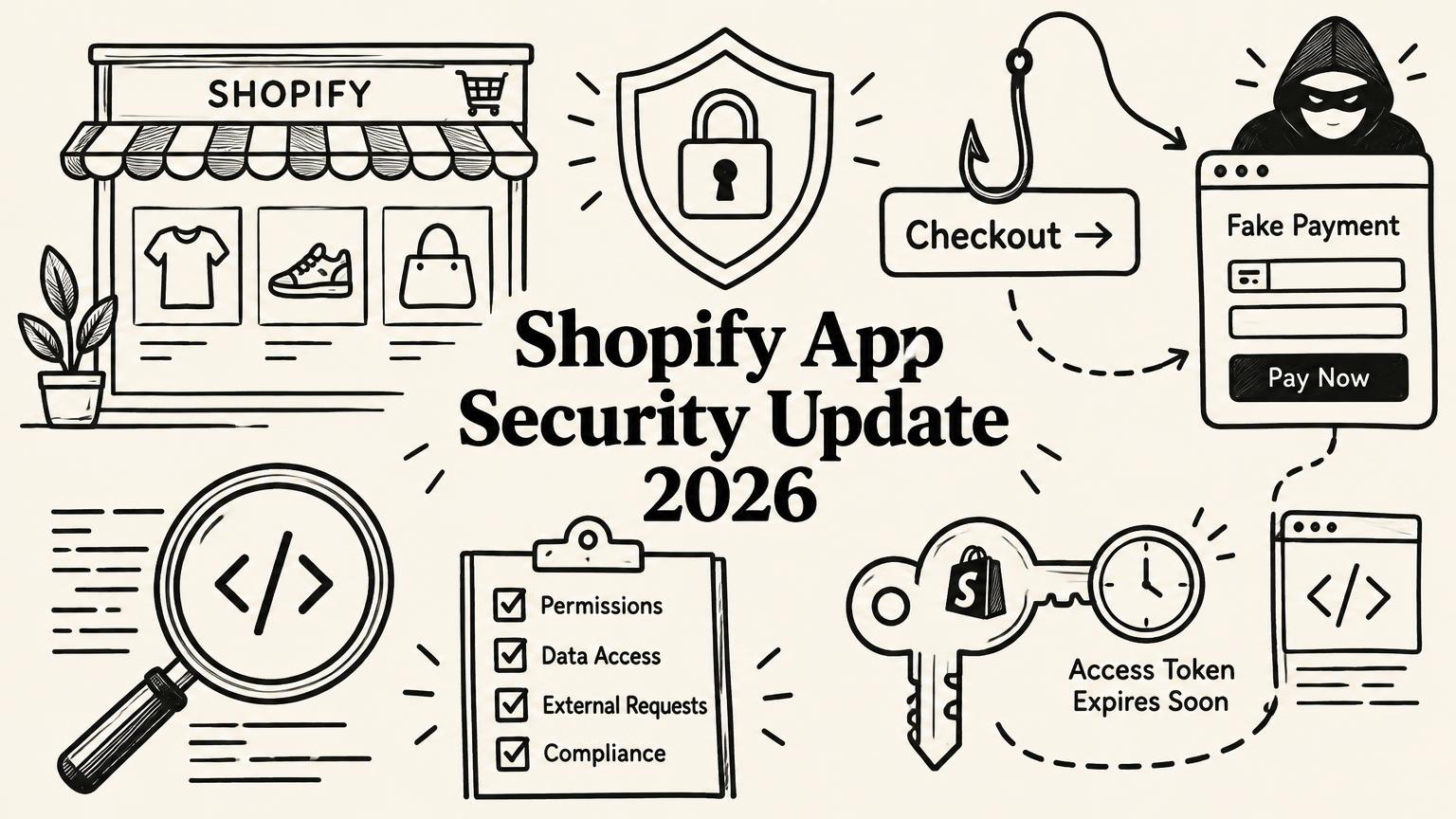
In under two weeks, several well-known apps confirmed that attackers had used them to load malicious scripts on merchant storefronts. Shoppers clicked Checkout, landed on a fake payment page, typed in their card details, saw an error, and were quietly sent on to the real checkout. Most of them never knew.
Shopify's own checkout was not the weak point. The weak point was third-party app code running on the storefront, and the accounts, tools, and tokens behind it.
I build and run Shopify apps myself, and I spend a lot of my week talking to other app founders and the merchants who install their products. The conversation has shifted fast. Merchants are asking "is this app safe?" before "what does it do?" App founders are asking what Shopify will require next and how much of their stack they need to rebuild.
This guide covers both sides:
- What actually happened, based on what developers and Shopify have confirmed
- Every Shopify app security update that matters right now, including the new
shopify app security checkcommand and expiring access tokens - The most common vulnerabilities in Shopify apps and how to fix them
- A practical checklist for merchants and a separate one for app developers
Everything here was checked against Shopify's developer documentation and changelog, and against statements from the affected app developers, as of October 28, 2026. Where something is reported but not confirmed, I say so.
Why Shopify App Security Is a Shared Responsibility
A typical Shopify store runs somewhere between 10 and 30 apps. Each one asks for access scopes: products, orders, customers, themes, discounts. Many of them also load code directly on the storefront through app embeds and theme app extensions.
That means the security of a store is only partly in Shopify's hands. Shopify secures the platform, hosting, and checkout. The app developer secures their own servers, admin tools, credentials, and the code they ship to storefronts. The merchant decides which apps get installed, what access they get, and who on the team can change settings.
When any one of those three fails, the store is exposed. The October incidents are a clear example. In the confirmed cases, the merchant's theme was clean and Shopify's checkout was untouched. The malicious code came in through app settings and loaded from the vendor's side.
What Happened: The October 2026 Shopify Checkout Hijacks
Here is the timeline based on what the app developers themselves have confirmed, as compiled by LetsMetrix and Netalico. All times and details below are from developer statements or Shopify, not speculation.
| Date (2026) | App | What was confirmed |
|---|---|---|
| July 22 | Sticky Add to Cart and Mega Menu (Qikify) | Injected code in HTML settings sent some shoppers to fraudulent pages. The developer blamed a compromised credential. Relisted August 21. |
| September 11 | OC Quantity Breaks & Limit (Orichi) | Malicious custom JavaScript was live for up to about 8.5 hours and removed the same day. Relisted October 8 after an independent investigation. |
| October 10 | Hulk Product Options (HulkApps, cside analysis) | Unauthorized code redirected some checkouts to a fake page. The developer says the code was removed and an independent firm is handling incident response. |
| October 13 | Selleasy (Logbase) | An internal Selleasy tool was accessed and used to add a phishing script to some stores between 07:47 and 15:00 UTC. Custom JS has since been locked. |
| October 14 | Swym Wishlist Plus (Swym) | An unauthorized configuration change loaded a script on some stores for under two hours. |
| October 18 | Swym Wishlist Plus (Swym) | A second wave. Swym disabled the app for all merchants, revoked credentials, and began a phased restore from October 23. |
How the attack worked
The pattern across the confirmed cases was consistent:
- Attackers got access to something on the app developer's side: a credential, an internal admin tool, or the app's configuration.
- They added JavaScript through the app's own settings, often a "custom JS" or "custom HTML" field that the app already loaded on storefronts.
- That script intercepted the Checkout click and sent shoppers to a look-alike checkout on domains such as
checkout-confirm[.]topandbilling-confirm[.]top. - After the shopper entered card details, the fake page showed a payment error and forwarded them to the real Shopify checkout.
Two details made it hard to spot. The script reportedly ran only once per visitor, so a merchant testing checkout a second time would see nothing wrong. And wallet payments like Shop Pay and PayPal were reportedly mostly unaffected, so stores with high wallet usage saw fewer complaints.
What is not confirmed
A lot of noise followed. Hundreds of apps were delisted from the App Store in the same period, and screenshots of those lists circulated widely. Delisting happens for many reasons, and neither Shopify nor most of those developers has linked those removals to the attacks. Boost AI Search & Filter, Consentmo, and Privy were all named in social posts. None of them has been confirmed as part of the checkout hijack campaign.
If an app you use was delisted, read the developer's notice before you panic. Delisted does not mean compromised.
The Shopify App Security Update: Everything That Changed in 2026
Shopify responded with a set of changes, some already live and some announced. Here is each one, what it means, and who it affects.
1. The new shopify app security check command
On October 15, 2026, Shopify released a security check inside Shopify CLI and the Shopify AI Toolkit. It scans your app locally for Shopify-specific vulnerabilities.
You can run it two ways:
- Through a coding agent: Install the Shopify AI Toolkit and ask your agent:
/shopify Check my app for common security vulnerabilities - Directly in the terminal: Run
shopify app security checkin your app directory
According to Shopify's documentation, the check covers 36 issues (24 high severity, 10 medium, 2 low), each with a stable ID like COMMITTED_SECRET and its own fix page. It looks at your codebase, extension configurations, and dependencies, with a focus on authentication gaps and data isolation between stores.
Related commands:
shopify app security reviewshows combined results from the scan and the agent reviewshopify app security recordstores findings your agent writesshopify app security cleandeletes stored results
It works for public and custom apps, and Shopify names React Router, Rails, Django, and Laravel as supported. Some deterministic checks only apply fully to the React Router app template. For other frameworks, the agent review fills the gap.
Shopify is clear that a clean report does not mean your app is secure. Treat it as a floor, not a ceiling, and rerun it on every release.
2. "Securing your app, together": Shopify's call to action
On October 20, 2026, Shopify published Securing your app, together, marked "Action required." It asked every app developer to act that week on eight steps:
- Run the new security check
- Migrate to expiring access tokens
- Scan all endpoints with vulnerability scanners
- Treat all rendered data as untrusted, including metafields and data from your own servers
- Review API traffic in the Dev Dashboard, filtering logs by client IP to find suspicious activity
- Enable two-step authentication on your Partner account, hosting, CDN, code repositories, and email, and remove access for anyone who no longer needs it
- Keep your emergency developer email current in the Partner Dashboard
- Apply Shopify's security best practices
Shopify also announced three upcoming changes, with details and timelines still to come:
- Tighter boundaries for storefront app code. Expect limits on what app code running on the storefront can do.
- IP address restrictions on API keys, so your keys only work from your own servers.
- Higher App Store security requirements for listed apps.
Suspected security issues should go to partner-security-reports@shopify.com. Shopify says developers are responsible for fixing issues and notifying affected merchants.
3. Expiring offline access tokens
Since April 1, 2026, all new public apps must request and use expiring offline access tokens. Shopify says a leaked expiring token stops working within 60 minutes.
Public apps created before April 1 are not yet required to switch, but the October 20 post says expiring tokens "will soon be required for all public apps." If your app still uses non-expiring offline tokens, migrate now rather than on a deadline. Apps built on Shopify's current templates and libraries already handle the refresh flow.
This is the single most important change for limiting damage. A long-lived token sitting in a database or a log file is exactly what an attacker wants.
4. Custom apps moved to the Dev Dashboard
Since January 1, 2026, merchants and developers can no longer create new custom apps directly in the Shopify admin. New custom apps are built in the Dev Dashboard and then installed on the store. Existing custom apps keep working.
For merchants, this matters because custom apps created years ago by former freelancers or agencies often have broad access and nobody watching them. It is a good moment to review them.
5. Protected customer data requirements
Any app that accesses customer personal data must meet Shopify's protected customer data requirements. There are two levels.
Level 1 (any protected customer data):
- Process only the minimum personal data needed
- Tell merchants what data you process and why
- Respect consent decisions and opt-outs
- Have privacy agreements with merchants
- Apply retention periods
- Encrypt data at rest and in transit
Level 2 (name, address, email, or phone fields): all of Level 1, plus:
- Encrypt backups
- Keep test and production data separate
- Have a data loss prevention strategy
- Limit staff access and require strong passwords
- Keep access logs
- Have a security incident response policy
Level 2 fields must be requested one by one, and apps may be selected for data protection reviews. The October incidents showed why the incident response policy matters. The developers who moved fastest were the ones who already had one.
6. Reported: storefront redirect protection
According to Netalico's incident roundup, Shopify added protection against unexpected redirects on October 20, and after an October 23 update the storefront blocks links to sites Shopify identifies as malicious and asks shoppers to confirm before visiting suspicious ones. I could not find an official Shopify changelog post for this as of October 28, so treat it as reported, not confirmed.
7. Outside Shopify: the PHP2Shell vulnerabilities
This one is not a Shopify change, but it affects many Shopify app backends. On October 21, 2026, the PHP project disclosed two critical remote code execution flaws, CVE-2026-109618 and CVE-2026-109619, both rated CVSS 9.2. Exploit attempts were seen before disclosure.
Fixed versions are PHP 8.5.12, 8.4.27, 8.3.36, and 8.2.35. PHP 8.1 and older get no upstream fix, only vendor backports. The flaws sit in PHP core, so framework updates and security plugins do not fix them.
There is no report of a Shopify store breach from these flaws. But if your app runs on Laravel or any PHP stack, patch now. An app server compromised through PHP gives an attacker your API tokens for every store that installed you. My PHP2Shell patch guide for Shopify app developers walks through every step.
The 7 Most Common Shopify App Vulnerabilities (and How to Fix Them)
Most of these are not exotic. They are the same mistakes I see in app codebases again and again, and several of them map directly to checks in the new security command.
1. Session tokens decoded but not verified
Embedded apps use session tokens, which are short-lived JWTs signed with your app's secret. A common mistake is decoding the token to read the shop and user, without verifying the signature.
Risk: Anyone can forge a token and act as any shop.
Fix: Verify the signature with your app secret, check the expiry (exp) and not-before (nbf) claims, confirm the audience (aud) matches your API key, and confirm the shop domain in dest is a valid .myshopify.com domain. Use Shopify's official libraries rather than writing this yourself.
2. Webhooks accepted without HMAC verification
Shopify signs every webhook with an X-Shopify-Hmac-Sha256 header.
Risk: Without verification, anyone who finds your webhook URL can send fake order, customer, or uninstall events.
Fix: Compute an HMAC-SHA256 of the raw request body with your app secret and compare it to the header using a constant-time comparison. The common bug is verifying against a parsed and re-serialized JSON body, which never matches. Always use the raw body. This applies to the mandatory compliance webhooks too (customers/data_request, customers/redact, shop/redact).
3. Weak install and OAuth flow
Risk: Attackers can tamper with the install flow to attach your app to the wrong shop or steal an authorization code.
Fix: Validate the hmac parameter on every OAuth request, use and check a random state value (nonce), and validate that the shop parameter matches a proper *.myshopify.com hostname before redirecting anywhere.
4. Cross-shop data access (IDOR)
This is the one I worry about most in multi-tenant apps.
Risk: An endpoint accepts an ID like /api/discounts/123 and returns the record without checking it belongs to the requesting shop. Change the number, get another merchant's data.
Fix: Every database query must be scoped by the shop taken from the verified session, never from a URL parameter or request body. Write a test that tries to read another shop's records and confirm it fails.
5. Stored XSS through merchant or customer input
Risk: Text saved through your app, such as labels, translations, product option names, or metafields, gets rendered later on the storefront or in the admin without escaping. One reported 2026 case hid malicious code inside a translation field disguised as an image element.
Fix: Escape all output by default. If your app must allow rich content, sanitize it with an allowlist-based sanitizer. Shopify's guidance is explicit: treat all rendered data as untrusted, including data from your own servers.
6. Clickjacking from a missing frame-ancestors policy
Risk: Another site can load your embedded app in an invisible iframe and trick a merchant into clicking actions.
Fix: Set a Content-Security-Policy header with frame-ancestors https://{shop}.myshopify.com https://admin.shopify.com, using the actual shop domain for each request.
7. Leaked secrets and tokens
Risk: API secrets and access tokens end up in git history, application logs, error trackers, or frontend bundles.
Fix: Keep secrets in environment variables or a secrets manager, never in code. Strip tokens from logs. Rotate any secret that has ever been committed, even if you deleted it later, because git history keeps it. The new security check flags committed secrets directly.
The bigger lesson: "custom JS" fields are a loaded gun
Look at the October incidents again. In most of them, the attacker did not break Shopify's API. They used a feature the app already had: a field that lets someone paste JavaScript that runs on every storefront.
If your app has a custom JS or custom HTML setting, ask hard questions. Who can edit it? Is it gated behind strong authentication? Is every change logged? Can a single compromised internal tool push code to every merchant at once? If the answer to the last question is yes, that is your biggest risk, and Shopify's coming limits on storefront app code are likely aimed squarely at it.
How Attackers Approach Shopify Apps
It helps to think like the person on the other side. In practice, attackers go for the cheapest path, which is rarely Shopify itself:
- They test whether verification is real. Forged session tokens, unsigned webhooks, tampered OAuth parameters.
- They swap identifiers. Change a shop ID or record ID and see what comes back.
- They target stored text. Anything saved now and rendered later is a delayed attack.
- They go after the people, not the code. Hosting accounts, GitHub, email, internal admin panels. Two of the October cases started with a credential or an internal tool.
- They aim for checkout. That is where card data is, so storefront scripts that can touch the checkout button are the prize.
Shopify App Security Checklist for Merchants
You do not need to be technical to cut most of your risk. Here is what I would do this week.
- Test your checkout properly. Open a new private browser window, add a product, and click Checkout. Confirm the address bar stays on your store's domain or checkout.shopify.com. Repeat a few times in fresh private windows, since the October scripts ran only once per visitor.
- Audit your installed apps. Go to Settings, then Apps, and remove anything you no longer use. Every unused app is access you are paying for in risk.
- Review app embeds. In the theme editor, open App embeds and turn off anything you do not recognize or need.
- Check apps with custom code fields. If any app lets you add custom JavaScript or HTML, look at what is in there. If you did not put it there, disable the app and contact the developer.
- Match permissions to purpose. A wishlist app does not need to edit orders. If the requested access looks wider than the job, ask the developer why.
- Secure staff accounts. Require two-step authentication for every staff member and collaborator account. Remove former staff, freelancers, and agencies who no longer need access.
- Review old custom apps. Custom apps built years ago often have broad access and no one maintaining them. Remove any that are not in active use.
- Ask your critical app vendors five questions:
- Do you use expiring access tokens?
- Do you verify webhook signatures?
- Is two-step authentication enforced on your internal tools and admin accounts?
- Have you run Shopify's new security check?
- What is your incident response process, and how will you notify me?
- Know what to do if something looks wrong. If you or a customer sees an unfamiliar payment page: put the store behind a password, disable the suspect app's embed, take screenshots, contact Shopify Support and the app developer, and speak to your payment provider about notification obligations. Retest before reopening.
- Do not overreact to delistings. An app disappearing from the App Store is not proof of a breach. Read the developer's notice first.
Shopify App Security Checklist for App Developers
If you build Shopify apps, this is the list I would work through, in this order.
Do this week
- Run
shopify app security checkand fix every critical and high finding. Rerun it after fixes. - Migrate to expiring offline access tokens if you have not already.
- Turn on two-step authentication for your Partner account, hosting, CDN, GitHub or GitLab, email, and every internal admin tool. Remove anyone who no longer needs access.
- Update your emergency developer email in the Partner Dashboard.
- Review API traffic in the Dev Dashboard and filter by client IP for anything that is not your servers.
- If you run PHP anywhere, patch to a fixed release.
Do this month
- Verify session token signatures, expiry, audience, and shop domain on every request.
- Verify webhook HMAC against the raw body, including compliance webhooks.
- Validate OAuth state, hmac, and shop parameters.
- Scope every database query by the verified shop and add a cross-shop access test.
- Escape all rendered output and sanitize any rich content.
- Set a per-shop frame-ancestors Content Security Policy.
- Move secrets out of code, purge them from logs, and rotate anything ever committed.
- Lock down any custom JS or HTML feature: strict access control, change logging, and alerts on edits.
- Run an external vulnerability scan on all public endpoints and close any exposed database or cache ports.
Build into your process
- Request only the access scopes and protected customer data fields you actually use.
- Meet Level 1 and, if relevant, Level 2 protected customer data requirements.
- Write down an incident response plan: who gets alerted, how you disable storefront code fast, and how you notify merchants.
- Rerun the security check on every release.
- Keep backend runtimes and dependencies patched.
One more thing from experience. Merchants remember how you handled an incident far longer than they remember the incident itself. The developers who published clear timelines and acted within hours in October kept more trust than the ones who went quiet.
What Is Coming Next
Shopify has said three things are on the way, with details before they take effect:
- Limits on what storefront app code can do
- IP restrictions on API keys
- Stricter App Store security requirements
My read, as an app founder, is that the era of apps loading arbitrary JavaScript on storefronts with little oversight is ending. If your product depends on that, start planning a move to theme app extensions and tighter, reviewable code paths now, before a requirement forces the timeline on you. I break down the founder-side deadlines in The Shopify App Security Reset: what founders need to do before 2027.
For merchants, expect more security signals on app listings and more questions from Shopify during installs. That is a good thing.
Frequently Asked Questions
Was Shopify hacked in October 2026?
No public evidence shows Shopify's own platform or checkout was breached. In the confirmed cases, attackers compromised individual app developers' credentials, tools, or configurations and used those apps to load malicious scripts on storefronts.
What is the Shopify app security update?
It is the set of changes Shopify announced and rolled out in 2026, including the shopify app security check command (October 15), the "Securing your app, together" action list for developers (October 20), required expiring offline access tokens for new public apps (since April 1), and upcoming limits on storefront app code, IP restrictions on API keys, and stricter App Store security requirements.
How do I check if my Shopify store was affected?
Test checkout several times in fresh private browser windows and confirm you stay on your store's domain or Shopify's checkout. Review app embeds and any apps with custom code fields. Watch for customer reports of an extra payment page or card fraud after purchase. If you see anything unusual, contact Shopify Support and the app developer.
How do I run the Shopify app security check?
Run shopify app security check in your app's directory using Shopify CLI, or install the Shopify AI Toolkit and ask your coding agent to check your app for security vulnerabilities. Fix critical and high findings first, then run it again.
Do I have to use expiring access tokens?
New public apps created on or after April 1, 2026 must use them. Shopify has said they will soon be required for all public apps, so older apps should migrate now.
Is it safe to keep using apps that were delisted?
It depends on the app. Many delistings are unrelated to security. Check the developer's official notice, confirm whether the app has been restored, and test your checkout. If the developer has not explained the delisting, consider disabling the app's storefront embed until they do.
What should I ask an app developer about security?
Ask whether they use expiring tokens, verify webhook signatures, enforce two-step authentication on internal tools, have run Shopify's security check, and how they will notify you if something goes wrong.
Final Thoughts
Shopify app security is no longer something only developers think about. October 2026 showed that a store can do everything right and still be exposed through an app it trusted.
The fix is not to stop using apps. Apps are how Shopify stores grow. The fix is for merchants to install fewer, better-vetted apps and keep an eye on them, and for developers to treat every token, internal tool, and storefront script as something an attacker will eventually try.
Shopify has started raising the bar. The developers and merchants who move before the requirements land will be in a much stronger position than the ones who wait.
Details in this article were checked against Shopify's developer documentation and changelog, and against public statements from affected app developers, on October 28, 2026. Shopify has said more details on upcoming requirements will follow, and this article will be updated when they do.
Shopify App Security Update 2026: What Changed and What Merchants and App Developers Must Do Now