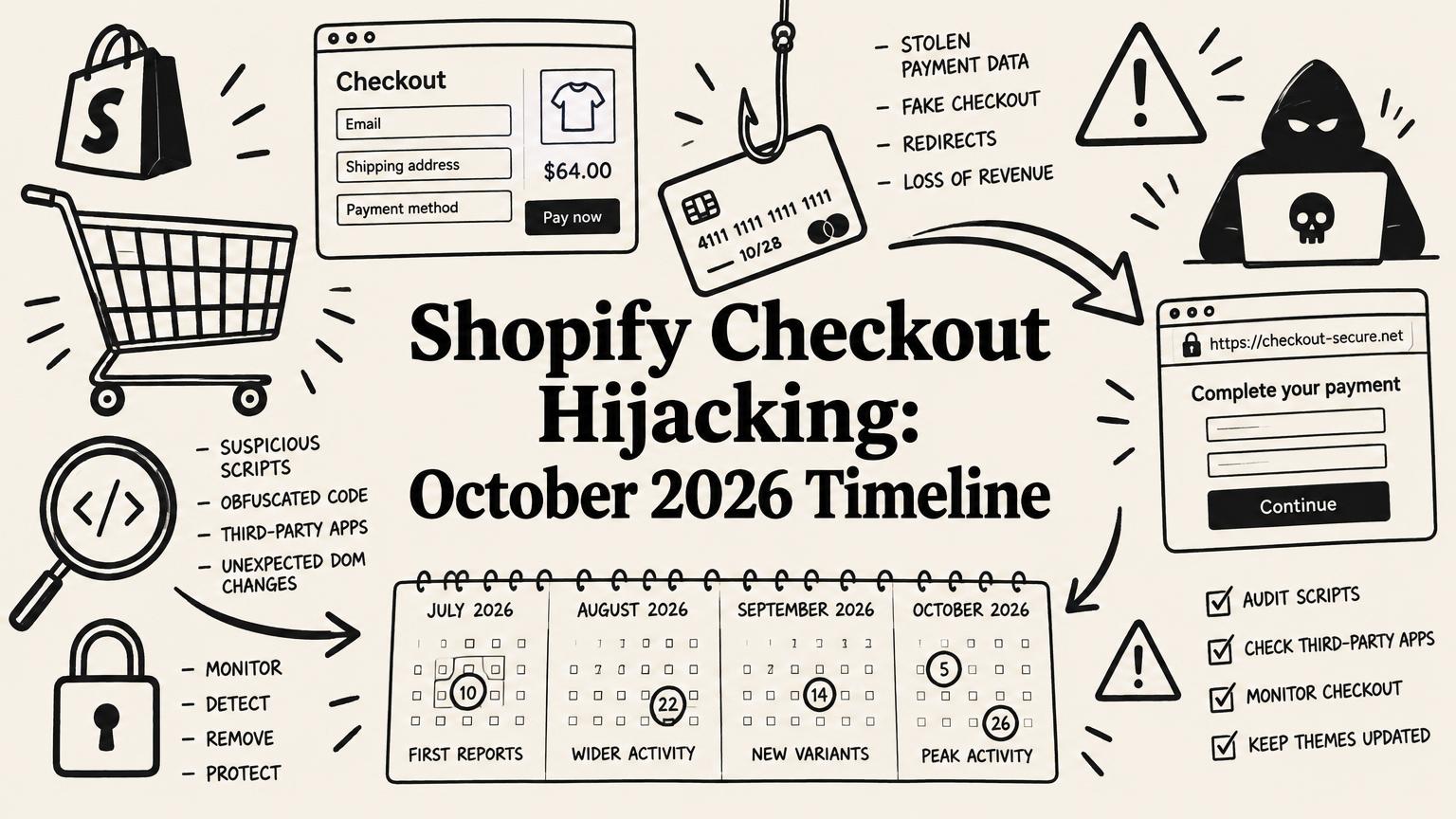
Shopify Checkout Hijacking, October 2026: Affected Apps, Full Timeline, and What to Check
A dated, sourced timeline of the 2026 Shopify checkout hijacks: confirmed vs reported apps, how the fake checkout script worked, indicators of compromise, and what merchants should check today.
By Yuvraj Kewate · 2026-10-28
Between July and October 2026, attackers used a handful of trusted Shopify apps to send shoppers to fake checkout pages. The shopper clicked Checkout, landed on a convincing copy of a Shopify checkout, entered card details, saw a payment error, and was then forwarded to the real checkout to finish the order.
Most shoppers never noticed. Most merchants did not either, at first.
I run Shopify apps and talk to app founders every week (I also wrote about it in what every founder should check on app security), and this has been the main topic in every conversation since mid-October. There is a lot of noise out there, including long lists of "hacked apps" that mix confirmed incidents with unrelated App Store delistings. This article separates the two.
Everything below is labelled as either confirmed (by the app developer, Shopify, or a named researcher with published evidence) or reported (named in merchant posts or news coverage with no confirmation). It is current as of October 28, 2026, and I will update it as forensic reports come out.
The Short Version
- What happened: Attackers got access to the vendor side of several apps, through a leaked credential, an internal admin tool, or the app's configuration system. They used that access to push JavaScript to merchant storefronts through settings the apps already supported, mainly "custom JS" and "custom HTML" fields.
- What the script did: It waited for a real Checkout click, stopped the normal navigation, and redirected the shopper to a look-alike checkout on attacker domains, mostly ending in .top.
- What was stolen: Card and billing details typed into the fake page.
- What was not breached: No public evidence shows Shopify's own platform or checkout was compromised. In the confirmed cases, the merchant's theme code was also clean.
- Who was confirmed: Qikify (July), Orichi (September), HulkApps, Logbase's Selleasy, and Swym (October).
Confirmed Incidents: Full Timeline
July 22: Qikify (Sticky Add to Cart, Mega Menu & Navigation)
The earliest confirmed case in this wave. In its own post-incident write-up, Qikify says an unauthorized third party injected a script into customizable HTML fields in the settings of two apps. On affected stores, some shoppers who clicked Checkout or Add to Cart were redirected to a fake page outside Shopify before being returned to the real checkout.
- Detected and fixed between 12:30 and 22:40 UTC the same day
- Qikify says no Shopify store data, customer records, or API data was accessed through its systems
- Affected merchants received compensation
- An independent security firm ran an incident report and penetration test
- Both apps were relisted on August 21, 2026, after Shopify's security review
The most useful line in Qikify's post is an admission: the HTML fields built for merchant flexibility became the entry point, and the company says it should have treated them as a risk sooner. It now treats any setting that can write content to a storefront "with the same care as passwords." Every app developer should read that twice.
Qikify also states the October attacks are unrelated to its apps.
September 11: Orichi (OC Quantity Breaks & Limit)
Malicious custom JavaScript was live in the app for up to about 8.5 hours before it was removed the same day. The developer's upper estimate was a little over 4,000 script servings across fewer than 2,000 sessions. The app was relisted on October 8 after an independent investigation and penetration test.
October 10: HulkApps (Hulk Product Options)
This is the incident that made the campaign public. Developer Roman Zipp spotted a fake checkout, traced it back to Hulk Product Options, and published a technical breakdown. Shopify removed the malicious code roughly 70 minutes after his first contact.
According to the technical analysis by cside, which credits Zipp for the discovery:
- The app's main script file on Shopify's CDN was not modified
- On page load, the app requested its configuration from the HulkApps API
- That JSON response contained a field called
advanced_users.custom_jsholding about 22.7 KB of attacker code - The app injected that string as a script at runtime
In other words, the attack arrived as data, not as a changed file. That is why file hash checks and Subresource Integrity did not catch it.
HulkApps says the unauthorized code was removed and an independent firm is handling incident response.
October 13: Logbase (Selleasy)
Logbase says an internal Selleasy tool was accessed and used to add a phishing script to some stores' settings. The attack window was 07:47 to 15:00 UTC. Shopify confirmed removal of Selleasy-delivered code at 15:40 UTC.
Since then, Logbase has locked the custom JS feature and says a forensic report is pending. The same phishing domain (biliing[.]top) appeared in both the HulkApps and Selleasy cases, which suggests one actor, though nobody has confirmed that.
October 14: Swym (Wishlist Plus), first wave
An unauthorized configuration change loaded a script on some stores between 10:06 and 11:56 UTC. Swym says its mitigation was fully deployed by 16:32 UTC. cside's timeline describes the payload as sitting in a wishlist button label, which is a good reminder that any text field rendered on a storefront can carry code if it is not escaped.
October 18: Swym (Wishlist Plus), second wave
A second attempt began at 21:17 UTC, this time using the app's own Shopify access. Swym disabled the app for all merchants and revoked credentials. It began restoring access in phases on October 23.
Summary Table
| Date (2026) | App | Developer | Entry point (per developer) | Status |
|---|---|---|---|---|
| Jul 22 | Sticky Add to Cart, Mega Menu | Qikify | Custom HTML settings fields | Relisted Aug 21 |
| Sep 11 | OC Quantity Breaks & Limit | Orichi | Custom JS setting | Relisted Oct 8 |
| Oct 10 | Hulk Product Options | HulkApps | Custom JS in config API response | Code removed, IR ongoing |
| Oct 13 | Selleasy | Logbase | Internal tool accessed | Custom JS locked, forensics pending |
| Oct 14 | Wishlist Plus | Swym | Configuration change | Mitigated same day |
| Oct 18 | Wishlist Plus | Swym | App's own Shopify access | Disabled, phased restore from Oct 23 |
Reported but Not Confirmed
These names show up in social posts and some articles. None has been confirmed as part of the checkout hijack campaign as of October 28.
- Hextom apps: cside's timeline mentions an August incident described as resolved. I have not seen a public statement from Hextom.
- Boost AI Search & Filter: Shopify disabled the app on October 17, citing a security issue. Its storefront extension was restored the next day. No public link to checkout redirects.
- Privy: The developer confirmed a display outage, not checkout interception.
- Consentmo GDPR Compliance: Delisted with no public explanation and no evidence linking it to the redirects.
- 17TRACK Order Tracking: Named in merchant posts only.
- Unattributed redirects: On October 19, a merchant reported three stores redirecting to
checkout-guard[.]topwith no app identified yet.
Hundreds of apps were delisted in the same period. The HeyApps delisted apps tracker counts 570 apps no longer on the App Store as of October 29, with 125 already restored. Delisting happens for many reasons, from missed requirements to developer choice. It is not evidence of a breach. I cover this in more detail in Shopify app delisted? How to tell if it is safe.
How the Fake Checkout Script Worked
Putting the developer statements and the published analysis together, the attack chain looked like this:
- Access. The attacker got into something on the vendor side: a credential (Qikify), an internal tool (Selleasy), the configuration system, or the app's own Shopify access (Swym's second wave).
- Injection. They placed JavaScript into a setting the app already delivers to storefronts.
- Delivery. The app loaded as normal, fetched its settings, and ran the injected code. The app's own files stayed clean.
- Trigger. A click listener waited for a genuine Checkout click. Bots and crawlers that never click saw a clean store.
- Redirect. A function named
hijackcancelled the real navigation and sent the shopper to a look-alike checkout. - Capture. The fake page collected card and personal details and posted them to the attacker's server.
- Cover. The shopper saw a payment error and was forwarded to the real Shopify checkout, so the order still went through.
- Once only. A flag in session storage stopped the script from firing again in the same session.
Why it was hard to catch
- The app's script file never changed, so integrity checks passed
- The script only fired on a real human click
- It fired once per session, so a merchant retesting in the same browser saw nothing
- The fake card form was on another domain reached by a full page navigation, which Content Security Policy on your store does not control
- Wallet payments like Shop Pay and PayPal were reportedly mostly unaffected, so stores with high wallet usage saw fewer customer complaints
Indicators of Compromise
These are from published analysis. Do not visit the domains.
Domains
biliing[.]topcheckout-confirm[.]toporder-confirm[.]topaccount-confirm[.]topbilling-confirm[.]topcheckout-guard[.]topcheckout-secure[.]topshopfily[.]shop
Browser session storage keys
__ctf_shim_handoff_done_v1__ctf_checkout_txn_v1
Any key starting with __ctf_ in your store's session storage should be treated as a confirmed hit.
Other markers
- A JavaScript function named
hijack - The configuration field
advanced_users.custom_js(Hulk Product Options) - IP address
45.197.2.217(reported for the HulkApps payload)
What Merchants Should Check Today
1. Test checkout the right way
Open a new private browser window. Add a product to cart. Click Checkout. Confirm the address bar shows your own domain or checkout.shopify.com. Close the window completely and repeat a few times, ideally on a phone too. A single test is not enough because the script fired once per session.
2. Look for __ctf_ keys
On desktop Chrome: open your store, right-click, choose Inspect, go to the Application tab, then Session storage, then your store's domain. If any key starts with __ctf_, you were hit.
3. Review apps with custom code fields
Go through every app that lets you paste custom JavaScript or HTML. If there is code in there you did not add, disable the app and contact the developer.
4. Clean up app embeds
In your theme editor, open App embeds. Turn off anything you do not recognize or no longer need. Then check your theme files for leftover snippets from apps you uninstalled.
5. Lock down accounts
Require two-step authentication for every staff and collaborator account. Remove people who no longer need access.
6. Listen to customers
Watch support tickets for phrases like "payment failed then worked," "I was asked for my card twice," or reports of card fraud shortly after buying from you.
If You Find Evidence
- Contain. Turn on password protection for the store and disable the suspect app's embed.
- Preserve evidence first. Take screenshots, save a HAR file from DevTools, and note timestamps before you remove anything.
- Report. Contact Shopify Support, the app developer, and your payment processor.
- Assess exposure. Work out the time window and which orders may be affected.
- Notify. Check your obligations under local law and with your payment provider, and tell affected customers.
- Retest. Use fresh private windows before reopening.
What Shopify Has Done
- October 15: Released the shopify app security check command in Shopify CLI and the AI Toolkit so developers can scan apps for Shopify-specific vulnerabilities.
- October 17: A Shopify spokesperson told iTnews, "When an app falls short, we act."
- October 20: Published Securing your app, together, an action-required post asking developers to migrate to expiring tokens, enforce two-step authentication on every related account, review API traffic by client IP, and treat all rendered data as untrusted. Shopify also announced tighter limits on storefront app code, IP restrictions on API keys, and higher App Store security requirements, with details to follow.
As of October 28, Shopify has not published a merchant-facing incident page, a count of affected stores, or an official list of affected apps.
For the full picture of Shopify's changes and a checklist for both merchants and developers, read my Shopify app security update 2026 guide.
What App Developers Should Take From This
Not one of the confirmed cases started with a broken Shopify API. Every one came through the vendor's side: a credential, an internal tool, a config system, and a feature that let text become code on someone else's storefront.
If your app has a custom JS or HTML field, ask yourself:
- Who on my team, or in my tooling, can change it for every merchant at once?
- Is that path protected by strong authentication and logged?
- Would I get an alert within minutes if it changed?
- Can I kill storefront code delivery for all merchants in one action?
If you cannot answer yes to all four, fix that before anything else.
Open Questions
- How many stores and shoppers were affected in total
- Whether a single actor ran all the incidents
- Root causes for Selleasy and Swym, pending forensic reports
- Whether the confirmed list is complete
Frequently Asked Questions
Which Shopify apps were hijacked in October 2026?
Confirmed by their developers: Hulk Product Options (HulkApps), Selleasy (Logbase), and Swym Wishlist Plus. Earlier confirmed cases in the same pattern were Qikify's Sticky Add to Cart and Mega Menu (July) and Orichi's OC Quantity Breaks & Limit (September).
Was Shopify itself hacked?
No public evidence shows that. In the confirmed cases, attackers used access on the app developer's side to push malicious scripts through app settings.
How do I know if my store was affected?
Test checkout several times in fresh private browser windows, check session storage for keys starting with __ctf_, review apps with custom code fields, and watch for customer reports of a failed payment followed by a successful one.
Were Shop Pay and PayPal payments affected?
Reports say wallet payments were mostly unaffected, because shoppers using them did not type card details into the fake page. Do not rely on that alone.
Should I uninstall every app that was delisted?
No. Many delistings were unrelated. Read the developer's notice, test your checkout, and disable an app's storefront embed only if you cannot get a clear answer.
Last checked October 28, 2026. This article will be updated as developers publish forensic reports and as Shopify releases more detail.
Sources
- What our July security incident taught us (Qikify)
- Inside the HulkApps Shopify checkout hijack (cside, crediting Roman Zipp)
- Securing your app, together (Shopify developer changelog)
- Build more secure apps with Shopify's AI Toolkit security check (Shopify developer changelog)
- Delisted Shopify apps tracker (HeyApps)
- Public incident statements from HulkApps, Logbase, Swym, and Orichi
Shopify Checkout Hijacking, October 2026: Affected Apps, Full Timeline, and What to Check